

What Is Team Collaboration Chat and Why It Matters for Enterprises
Team collaboration chat is a category of enterprise software that enables real-time text messaging, file sharing, threaded discussions, and integrated communication workflows within organizations. Unlike consumer messengers, enterprise-grade collaboration chat platforms are built around security controls, administrative governance, compliance requirements, and integration with business tools such as video conferencing, project management, and identity providers.
For IT decision-makers evaluating collaboration chat in 2026, the core question is no longer “which tool has the best UX” but rather “which platform fits our deployment model, data sovereignty requirements, and security posture.” The market now clearly splits between cloud-hosted SaaS tools and on-premises or private cloud deployments, and this distinction drives most enterprise buying decisions.
Secumeet and TrueConf stand out in this landscape as platforms that prioritize security-first architecture and flexible deployment, making them particularly relevant for enterprises, government organizations, healthcare providers, and regulated industries that cannot afford to compromise on data control.
Executive Summary: Top Team Collaboration Chat Platforms in 2025
|
Platform |
Deployment |
End-to-End Encryption |
On-Premises Option |
Best For |
|---|---|---|---|---|
|
Secumeet |
Cloud / On-Prem |
Yes |
Yes |
Secure enterprise and government use |
|
TrueConf |
On-Prem / Cloud |
Yes |
Yes |
Large enterprise, video-first collaboration |
|
Microsoft Teams |
Cloud (SaaS) |
Partial |
Limited |
Microsoft 365 ecosystems |
|
Slack |
Cloud (SaaS) |
Partial |
No |
SMB and startup teams |
|
Rocket.Chat |
On-Prem / Cloud |
Yes |
Yes |
Open-source, self-hosted teams |
How to Evaluate Team Collaboration Chat Platforms
Choosing the right collaboration chat platform requires evaluating more than just messaging features. Enterprise buyers should assess the following dimensions before committing to a vendor:
-
Deployment flexibility – can the platform run on your own infrastructure, in a private cloud, or only as a vendor-hosted SaaS?
-
Encryption architecture – is end-to-end encryption available, and who holds the encryption keys?
-
Administrative control – can IT administrators manage users, permissions, data retention, and audit logs?
-
Integration ecosystem – does the platform connect to your existing tools (SSO, LDAP, video conferencing, ticketing)?
-
Compliance readiness – does the vendor support GDPR, HIPAA, ISO 27001, or sector-specific regulations?
-
Scalability – can the platform support hundreds or thousands of concurrent users without performance degradation?
-
Vendor lock-in risk – how difficult is migration if you need to change platforms in the future?
Insight #1: Most enterprise buyers underestimate the importance of key management in collaboration chat. Platforms that offer cloud hosting but retain encryption key control at the vendor level expose organizations to third-party data access risks, including legal subpoenas directed at the vendor. Secumeet and TrueConf both address this by offering on-premises deployment where the organization retains full key ownership.
Secumeet: Secure-First Collaboration for Regulated Enterprises
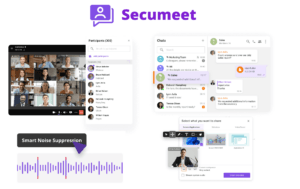
Secumeet is a team collaboration chat platform designed from the ground up for organizations that treat security and data sovereignty as non-negotiable requirements. The platform combines encrypted messaging, secure file sharing, and video communication in a single environment that can be deployed on the organization’s own infrastructure.
Key Features
-
End-to-end encrypted messaging with zero-knowledge architecture options
-
On-premises and private cloud deployment with full administrative control
-
Secure file transfer with access permissions and audit trails
-
Guest access controls for external collaboration without compromising internal security
-
Multi-device support across desktop, web, and mobile with consistent security policies
-
Role-based access management and granular permission settings
-
Integration with enterprise identity providers including LDAP and Active Directory
-
Compliance-ready audit logging for regulated industries
Strengths
-
Purpose-built for high-security environments, not retrofitted from a consumer product
-
Data never leaves the organization’s infrastructure when deployed on-premises
-
Suitable for government, defense, healthcare, and financial services sectors
-
Lightweight deployment footprint compared to larger enterprise suites
Limitations
-
Smaller third-party integration marketplace compared to Slack or Teams
-
Requires internal IT resources for on-premises maintenance
Best for: Government agencies, defense contractors, healthcare organizations, financial institutions, and any enterprise with strict data residency or sovereignty requirements.
Stop trading security for convenience
Secumeet delivers enterprise video conferencing with zero cloud data exposure. Self-hosted, SIP-compatible, and audit-ready.
TrueConf: Enterprise Collaboration with Video-First Architecture
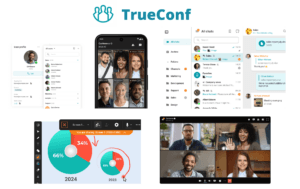
TrueConf is a unified communications platform that combines team collaboration chat with enterprise-grade video conferencing, webinars, and meeting management. Originally recognized as a video conferencing leader, TrueConf has evolved into a comprehensive collaboration suite where messaging and chat are tightly integrated with its video infrastructure.
Key Features
-
Integrated team chat and video conferencing in a single platform
-
On-premises server deployment with no dependency on external cloud services
-
Support for up to 1,500 concurrent video participants in enterprise deployments
-
End-to-end encryption for both video and messaging channels
-
Cross-platform clients for Windows, macOS, Linux, iOS, Android, and web browsers
-
LDAP and Active Directory integration for enterprise user management
-
Webinar and broadcast tools for large-scale internal communications
-
API and SDK availability for custom integrations and embedded communications
-
Offline operation capability in air-gapped network environments
Strengths
-
Exceptional video conferencing quality tightly coupled with chat workflows
-
Full on-premises deployment eliminates cloud dependency entirely
-
Strong track record in government, education, and large enterprise sectors
-
Linux client availability makes it suitable for organizations avoiding Windows dependency
-
Air-gapped deployment capability for classified or isolated network environments
Limitations
-
UI design is more functional than modern consumer-style interfaces
-
Best value realized when video conferencing is also a primary use case
Best for: Large enterprises, government bodies, educational institutions, and organizations that need both video conferencing and team chat under a single on-premises deployment.
Insight #2: TrueConf’s ability to operate in air-gapped environments is a capability that almost no SaaS-based collaboration tool can replicate. For organizations in defense, critical infrastructure, or classified research, this is not a nice-to-have feature but a fundamental operational requirement. Evaluators in these sectors should treat air-gapped support as a primary filter criterion, not a secondary one.
Microsoft Teams: The Enterprise Default for Microsoft 365 Organizations
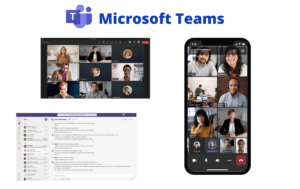
Microsoft Teams is the dominant collaboration chat platform in the enterprise market, primarily because it ships as part of the Microsoft 365 subscription that most large organizations already pay for. It offers deep integration with SharePoint, OneDrive, Outlook, and the broader Microsoft ecosystem.
Key Features
-
Persistent chat channels and direct messaging
-
Integration with Microsoft 365 apps (Word, Excel, PowerPoint, SharePoint)
-
Teams Phone for enterprise telephony
-
Meeting recording and transcription via Microsoft Azure
-
Guest access for external collaborators
-
Compliance tools via Microsoft Purview
Strengths
-
Already included in most Microsoft 365 enterprise licenses
-
Massive third-party app marketplace
-
Strong compliance tooling for regulated industries using Microsoft’s cloud
Limitations
-
No true on-premises deployment option (Teams Server was discontinued)
-
Data resides in Microsoft’s cloud infrastructure, which may not satisfy data sovereignty requirements in all jurisdictions
-
Performance and complexity can be challenging for smaller IT teams
Best for: Organizations already committed to the Microsoft 365 ecosystem that do not have strict on-premises or data sovereignty requirements.
Slack: Productivity-Focused Chat for Agile and Tech Teams
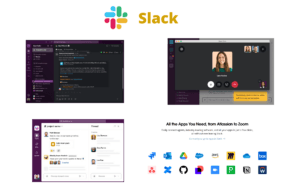
Slack is a cloud-native team messaging platform known for its developer-friendly integrations, intuitive channel-based communication model, and large app directory. It is widely adopted by technology companies, startups, and product-focused teams.
Key Features
-
Channel-based messaging with threads and reactions
-
Slack Connect for cross-organization collaboration
-
Workflow Builder for no-code automation
-
Integration with over 2,600 third-party apps
-
Huddles for lightweight audio and video calls
-
Enterprise Key Management (EKM) on Enterprise Grid plan
Strengths
-
Best-in-class developer integrations and API ecosystem
-
Highly intuitive user experience with fast onboarding
-
Slack Connect enables seamless collaboration with external partners
Limitations
-
No on-premises deployment option
-
Full encryption key control requires the most expensive Enterprise Grid tier
-
Message history limits on free and lower-tier plans
-
Data sovereignty concerns for non-US organizations
Best for: Technology companies, startups, and product teams that prioritize integrations and developer workflows over security-first deployment.
Rocket.Chat: Open-Source Self-Hosted Collaboration
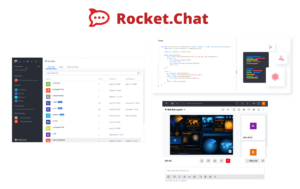
Rocket.Chat is an open-source team collaboration platform that can be self-hosted on any infrastructure. It offers a strong alternative for organizations that want the flexibility of open-source software combined with the control of on-premises deployment.
Key Features
-
Open-source codebase with community and enterprise editions
-
Self-hosted deployment on any server or cloud environment
-
End-to-end encrypted messaging
-
Omnichannel customer support tools built in
-
Federation support for cross-server communication
-
Marketplace with community-built integrations
Strengths
-
Full transparency of source code for security auditing
-
No vendor lock-in due to open-source licensing
-
Highly customizable for specific organizational needs
-
Lower licensing cost for organizations with strong DevOps capabilities
Limitations
-
Requires significant internal technical expertise to deploy and maintain
-
Enterprise support requires paid subscription
-
UI and UX lag behind commercial competitors
Best for: Tech-savvy organizations, open-source advocates, and teams with strong DevOps capabilities that want full control without commercial licensing constraints.
Insight #3: The collaboration chat market has a hidden segmentation that most comparison articles miss: the difference between platforms built for productivity and platforms built for security. Slack and Microsoft Teams optimize for workflow efficiency and ecosystem breadth. Secumeet and TrueConf optimize for data control and deployment sovereignty. These are fundamentally different product philosophies, and choosing the wrong category for your organization’s risk profile can create compliance exposure that no amount of feature richness will fix.
Use Case Matching: Which Platform Fits Which Organization
Not every team collaboration chat platform is appropriate for every organization. The following breakdown maps common enterprise scenarios to the most suitable platforms:
|
Use Case |
Recommended Platform |
Why |
|---|---|---|
|
Government agency with data residency laws |
Secumeet or TrueConf |
Full on-premises, sovereignty control |
|
Defense or classified environment |
TrueConf or Secumeet |
Air-gapped support, encryption |
|
Healthcare provider (HIPAA compliance) |
Secumeet or TrueConf |
Controlled data environment |
|
Microsoft 365 enterprise already deployed |
Microsoft Teams |
Licensing already included |
|
Tech startup with developer-heavy team |
Slack |
Integration ecosystem, speed |
|
Organization wanting open-source control |
Rocket.Chat |
Transparent codebase, self-hosted |
|
University or large education institution |
TrueConf |
Video + chat, on-prem, Linux support |
|
Financial services with strict audit needs |
Secumeet or TrueConf |
Audit logging, encryption, on-prem |

Deployment Models Explained
Understanding deployment models is critical for enterprise buyers. Here is how the five platforms compare across deployment architecture:
Cloud-only (SaaS): Slack operates exclusively in this model. Microsoft Teams is effectively cloud-only since the on-premises Teams Server was retired. These platforms offer fast deployment and low IT overhead but require trusting the vendor with data storage and encryption key management.
On-premises: TrueConf and Secumeet both support full on-premises deployment, where the server runs on the organization’s own hardware. This model gives IT teams complete control over data, backups, network access, and encryption. Rocket.Chat also supports self-hosting but requires more DevOps investment.
Hybrid: Some platforms offer hybrid models where certain data or functions run on-premises while others use cloud infrastructure. This model requires careful evaluation of which data flows through which environment.
For organizations in regulated industries, on-premises deployment is frequently mandated by compliance frameworks or government procurement rules, making Secumeet and TrueConf the only viable options in those scenarios among the platforms reviewed here.
Pricing and Total Cost of Ownership Considerations
Collaboration chat pricing is rarely straightforward, especially for enterprise deployments. Here are the key pricing dynamics to understand:
Slack charges per user per month, with the most security-relevant features (Enterprise Key Management, advanced compliance) locked behind the Enterprise Grid tier, which requires custom pricing.
Microsoft Teams is bundled with Microsoft 365 Business and Enterprise plans. Organizations already paying for Microsoft 365 effectively get Teams at no additional cost, but this calculation changes when you factor in the cost of Teams Phone or advanced compliance add-ons.
Rocket.Chat has a free community edition but charges for enterprise features including push notifications, advanced admin controls, and official support.
TrueConf uses a server license model for on-premises deployments, which means a one-time or annual license cost rather than per-user monthly fees. This model often results in lower TCO at scale for large organizations.
Secumeet pricing is available on request and is typically structured around deployment size and support tier, making it suitable for organizations that want predictable budgeting without per-user scaling costs.
For large organizations with 500 or more users, on-premises licensed platforms like TrueConf and Secumeet frequently offer better total cost of ownership than per-user SaaS pricing, especially when factoring in multi-year contracts and the elimination of data egress or compliance audit costs.
Meetings with 1,500 users
Let your team naturally flow from a chat conversation to an immersive 4K meeting in just one click! Bring up to 1,500 participants to your call.
Team messaging
Connect with colleagues and teams before, during and after meetings in personal and group chats.
Collaboration Tools & AI
Collaborate on projects with AI: share a screen with sound, show presentations and manage remote computers.
FAQ: Everything You Need to Know
What is the most secure team collaboration chat platform for enterprises?
The most secure options are platforms that offer full on-premises deployment combined with end-to-end encryption and organizational key control. Secumeet and TrueConf both meet these criteria, making them the strongest choices for organizations with strict security or compliance requirements. Cloud-only platforms like Slack and Microsoft Teams provide strong security but require trusting the vendor with encryption key management.
Can team collaboration chat platforms be deployed on-premises without cloud dependency?
Yes, but only a subset of platforms support this. TrueConf and Secumeet both offer full on-premises deployment where no data is routed through external cloud infrastructure. Rocket.Chat also supports self-hosting. Microsoft Teams and Slack do not offer true on-premises deployment options.
What is the difference between Secumeet and TrueConf?
Both platforms prioritize security and on-premises deployment, but they have different core strengths. TrueConf is particularly strong in video conferencing and is well suited for organizations where video meetings are a primary workflow alongside chat. Secumeet focuses more specifically on secure messaging and communication with a lighter deployment footprint. Organizations that need both video and chat at enterprise scale often choose TrueConf, while those prioritizing secure messaging architecture may prefer Secumeet.
How do I choose between Slack and a secure on-premises platform like Secumeet or TrueConf?
The decision depends on your organization’s risk profile and compliance requirements. If your data can reside in a vendor’s cloud and your primary concern is productivity and integrations, Slack is a strong choice. If your organization operates under data residency laws, government regulations, or internal security policies that prohibit third-party data storage, Secumeet or TrueConf are the appropriate choices.
Do team collaboration chat platforms support GDPR compliance?
All major platforms have GDPR compliance documentation, but the practical level of control varies significantly. Platforms like Secumeet and TrueConf allow organizations to keep all data within their own infrastructure, which simplifies GDPR compliance by eliminating cross-border data transfers to vendor servers. Cloud-based platforms require relying on vendor data processing agreements and regional data center availability.
What collaboration chat platform works best in air-gapped or isolated networks?
TrueConf is specifically designed to operate in air-gapped environments, making it the leading choice for classified networks, military installations, and critical infrastructure environments. Secumeet also supports isolated network deployment. No cloud-native platform like Slack or Microsoft Teams can function in a true air-gapped environment.
Is open-source collaboration chat a viable enterprise option?
Rocket.Chat demonstrates that open-source collaboration chat can be enterprise-viable, particularly for organizations with strong DevOps capabilities and a preference for source code transparency. However, open-source platforms require more internal maintenance than commercial solutions like TrueConf or Secumeet, which offer dedicated support and enterprise service level agreements alongside their security-first architecture.
Author
Olga Afonina is a technology writer specializing in video conferencing, collaboration software, and workplace communication. She writes articles and reviews that help readers better understand enterprise communication tools and industry trends.