
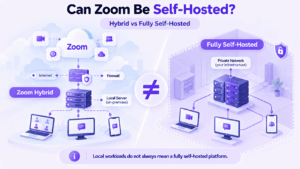
Organizations searching for Zoom self-hosted deployment usually have one of two requirements: keep selected meeting workloads inside their own infrastructure, or remove dependence on Zoom Cloud for core communication.
Zoom can address the first requirement through Zoom Node and its hybrid services. Organizations can run selected meeting, recording, chat, resilience, and AI-related workloads inside customer-controlled infrastructure.
However, Zoom does not provide a fully independent customer-operated edition of the complete platform.
The practical distinction is:
Zoom can localize important workloads, but it is not a fully self-hosted replacement for Zoom Cloud.
Key Findings
-
Zoom is not fully self-hosted; it localizes selected workloads through Zoom Node.
-
Zoom Meetings Hybrid and Private Mode can keep meeting processing local, but the platform remains part of Zoom’s management and licensing ecosystem.
-
Recording, chat storage, and selected AI workloads can also be moved closer to customer infrastructure without making the entire platform self-hosted.
-
If core communication must operate independently of Zoom Cloud, a fully self-hosted platform is the more relevant category.
What Does Self-Hosted Mean in This Context?
For this comparison, fully self-hosted means that the core communication platform can run on customer-controlled infrastructure without relying on the vendor’s cloud for normal internal operation.
That may include:
-
media processing;
-
signaling;
-
messaging;
-
recordings;
-
user management;
-
administration.
The important question is not whether one component can run locally.
It is:
Which parts of the communication system still depend on the vendor’s cloud?
Zoom does not meet the fully self-hosted definition across the complete platform.
Can Zoom Be Self-Hosted?
Not completely.
Zoom provides several ways to move communication workloads into customer infrastructure, but it does not offer a fully customer-operated replacement for the entire Zoom Cloud platform.
Zoom Node acts as the foundation for many of these deployments. Organizations install Zoom Node inside their own environment and use it to run selected services locally.
A useful way to think about the architecture is:
Zoom Cloud + customer-hosted Zoom workloads
rather than:
a completely self-hosted Zoom server
How Zoom On-Premises and Hybrid Deployment Works
Zoom Node
Zoom Node is the infrastructure layer used to deploy selected Zoom workloads inside an organization’s environment.
Depending on configuration and licensing, these workloads can include:
-
meetings;
-
recording;
-
chat storage;
-
meeting survivability;
-
room-related services;
-
selected AI processing.
Zoom Node moves workloads locally, but deployment and management remain integrated with Zoom’s broader ecosystem.
Zoom Meeting Connector
Meeting Connector allows organizations to process meeting media inside their own network.
In supported configurations, meeting audio and video can remain on customer-hosted infrastructure instead of being processed through standard Zoom Cloud media servers.
A simplified architecture looks like:
Zoom clients → customer-hosted Meeting Connector → local meeting media
Meeting Connector can also be combined with local recording components.
However, it does not make Zoom an independent self-hosted platform. Provisioning, monitoring, management, and other platform functions remain tied to Zoom’s environment.
Zoom Meetings Hybrid
Zoom Meetings Hybrid provides a more advanced local meeting architecture.
Internal users can connect through customer-hosted Zoom infrastructure while external users can still participate through Zoom Cloud.
In a normal hybrid scenario:
-
internal media can stay local;
-
external participants can connect through Zoom Cloud;
-
local and cloud infrastructure can work together;
-
the organization reduces the amount of meeting traffic leaving its network.
This is useful when the goal is local processing rather than complete cloud independence.
Private Mode
Private Mode provides a stronger form of localization.
When configured appropriately, meeting media and signaling can stay on-premises and cloud media cascading is disabled.
That makes Private Mode relevant to organizations that want Zoom meetings to remain much closer to their own network boundary.
However, it still operates within the Zoom Node, licensing, and management ecosystem.
Some cloud-dependent capabilities are also unavailable when cloud services are disabled.
So Private Mode should be understood as:
highly localized Zoom meeting processing
rather than:
a completely independent Zoom platform
Zoom Hybrid vs Fully Self-Hosted Video Conferencing
The architectural difference is easier to see directly.
The key question is therefore not whether Zoom supports on-premises workloads.
It does.
The key question is whether the core platform itself can operate independently of Zoom Cloud.
It cannot.
Other Zoom Workloads That Can Run Locally
Zoom’s hybrid architecture extends beyond meeting media.
Recording
Zoom provides local and hybrid recording options that allow supported recording workloads to remain inside customer infrastructure.
This reduces dependence on standard cloud recording but does not move the entire Zoom platform on-premises.
Team Chat Storage
Zoom Chat Hybrid can move supported chat data, such as message text, into customer-controlled infrastructure.
However, the Team Chat service itself remains part of Zoom Cloud.
This is therefore:
local chat data storage
rather than:
fully self-hosted Zoom Team Chat
Selected AI Processing
Zoom has also introduced support for selected local AI-related workloads such as captioning or transcription in hybrid deployments.
Again, the distinction is the same: individual processing tasks can be localized without making the overall platform independent of Zoom Cloud.
When Zoom Hybrid Is Already Enough
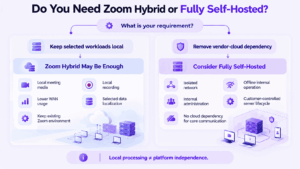
A fully self-hosted replacement is not always necessary.
Zoom Hybrid may be sufficient if the organization mainly wants to:
-
keep meeting media inside the corporate network;
-
reduce external bandwidth consumption;
-
keep selected recordings local;
-
localize specific chat or AI workloads;
-
preserve the existing Zoom user experience;
-
continue using Zoom administration and licensing.
For organizations already standardized on Zoom, this can avoid the cost and complexity of replacing the whole communication platform.
When Zoom Hybrid Is Not Enough
A fully self-hosted platform becomes more relevant when the requirement is broader.
Examples include:
-
core communication must continue without Zoom Cloud;
-
internal meetings must work in an isolated network;
-
the organization must control the server lifecycle;
-
administration must remain internal;
-
cloud control-plane dependency is not acceptable;
-
messaging and video must operate entirely within customer infrastructure;
-
existing SIP/H.323 systems need to be integrated into a private communication environment.
This is the point where the distinction between hybrid Zoom and a fully self-hosted platform becomes operational rather than theoretical.
Why Organizations Choose Fully Self-Hosted Video Conferencing
Infrastructure Control
Self-hosting gives the organization direct control over where core communication services run and how they interact with the corporate network.
This can simplify internal requirements around:
-
access;
-
logging;
-
network segmentation;
-
storage;
-
administration.
Data Residency
Some organizations have contractual, national, sector-specific, or internal requirements governing where communication data is processed or stored.
Self-hosting is one way to address these requirements, although frameworks such as GDPR or HIPAA do not automatically require on-premises deployment.
Offline or Isolated Operation
Some environments cannot depend on an external cloud control plane.
Examples include:
-
protected government networks;
-
industrial environments;
-
research facilities;
-
remote installations;
-
air-gapped networks.
In these cases, the ability to run core communication entirely inside the local network can become a mandatory requirement.
Integration
A self-hosted platform can also be selected because it needs to integrate directly with:
-
Active Directory or LDAP;
-
internal SSO;
-
SIP infrastructure;
-
H.323 endpoints;
-
corporate networks;
-
internal administrative systems.
5 Self-Hosted Alternatives to Zoom
If Zoom’s hybrid architecture does not provide enough independence, several platforms take a more traditional self-hosted approach.
1. TrueConf Server
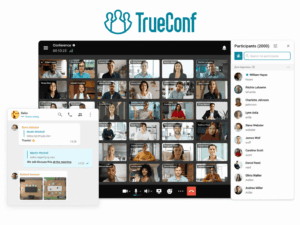
Best for: enterprise video infrastructure, unified communications, and isolated internal networks.
TrueConf Server combines:
-
video conferencing;
-
persistent messaging;
-
file exchange;
-
screen and content sharing;
-
corporate administration;
-
SIP/H.323 interoperability.
The platform can run its core communication services inside customer-controlled infrastructure and is designed for internal operation without requiring an Internet connection for core communication.
TrueConf also supports conferences with up to 2,000 participants, depending on license and conference mode.
Its strongest distinction in this comparison is not simply self-hosting. It is the combination of:
video infrastructure + enterprise messaging + SIP/H.323 interoperability + internal-network operation
This makes it particularly relevant when an organization already operates conference room systems or traditional video infrastructure.
Trade-off: the organization is responsible for the server and network environment required to operate the platform.
2. Secumeet Server
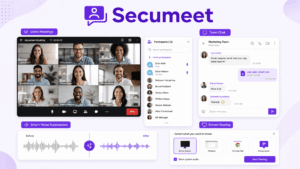
Best for: private business communication combining messaging, meetings, collaboration, and AI-assisted workflows.
Secumeet is designed around private organizational communication rather than extending a public SaaS meeting platform into customer infrastructure.
Relevant capabilities include:
-
video meetings;
-
personal and group messaging;
-
screen sharing;
-
content collaboration;
-
transcription;
-
selected AI-assisted meeting functions;
-
SIP/H.323 integration.
Its strongest distinction in this comparison is:
private business communication + messaging + meetings + collaboration in one controlled environment
This makes it relevant when the organization wants communication to continue before, during, and after a meeting inside the same private platform.
Trade-off: as with other self-hosted platforms, infrastructure and administration remain the organization’s responsibility.
3. Jitsi Meet
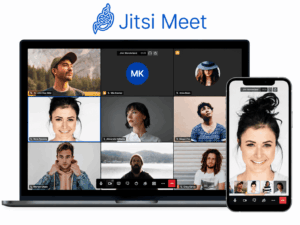
Jitsi Meet is a strong option when the main requirement is an open-source, self-hosted meeting platform.
It supports:
-
browser-based meetings;
-
screen sharing;
-
chat;
-
guest access;
-
embedding into other applications.
Capacity depends heavily on server resources, networking, configuration, and the number of deployed video bridges.
Larger environments therefore require more infrastructure planning than a simple single-server installation.
Best fit: organizations that prioritize open-source deployment and customizable video meetings.
4. BigBlueButton
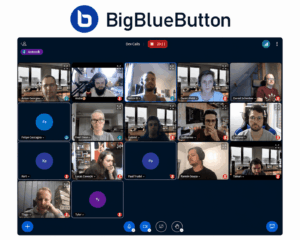
BigBlueButton is built primarily for education and training.
Its workflow includes:
-
virtual classrooms;
-
presentation sharing;
-
whiteboards;
-
breakout rooms;
-
polling;
-
shared notes;
-
learning-platform integration.
It is therefore a good self-hosted alternative when the core workflow is teaching rather than general enterprise unified communications.
Do not choose it primarily as a general Zoom replacement if classroom and training workflows are not important.
5. Element / Matrix
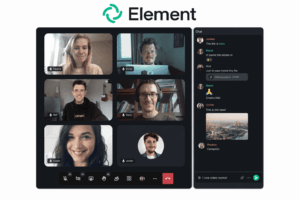
Element is built around the Matrix protocol and is most relevant when federation matters.
Organizations can operate their own Matrix homeservers while still communicating with users on independently managed servers.
Its strengths include:
-
persistent messaging;
-
federation;
-
self-hosted infrastructure;
-
cross-organizational communication;
-
voice and video capabilities.
Choose Element when federation is a requirement. Do not choose it simply because you need a self-hosted Zoom replacement.
The platform is better suited to environments where messaging and cross-server communication are at least as important as the meeting experience itself.
Self-Hosted Zoom Alternatives Compared
There is no universal best replacement.
The right product depends on why Zoom Hybrid is insufficient.
How to Choose a Self-Hosted Zoom Alternative
1. Do You Need Local Workloads or Full Platform Independence?
This is the most important question.
If keeping media or recordings local is enough, Zoom Hybrid may already satisfy the requirement.
If core communication must run without Zoom Cloud, compare fully self-hosted platforms.
2. Must the Platform Work Without Internet or Vendor Cloud Access?
Do not assume that “on-premises” means “offline.”
Test whether:
-
users can authenticate;
-
meetings can start;
-
messaging works;
-
administration remains available;
-
internal services continue operating
when the external connection is unavailable.
3. Do You Need Video Only or Full Business Communication?
A meeting platform may be enough if the only requirement is video conferencing.
If users also need:
-
persistent chat;
-
files;
-
presence;
-
group spaces;
-
meeting history;
-
collaboration before and after calls;
evaluate the entire communication environment.
4. Do You Need SIP/H.323 or Existing Room Systems?
Organizations with established video infrastructure should verify native interoperability before migration.
A self-hosted platform that connects to existing endpoints can reduce the cost of replacing working equipment.
5. Who Will Operate the Platform?
Self-hosting gives the organization more control but also more responsibility.
The deployment team needs to account for:
-
server maintenance;
-
updates;
-
monitoring;
-
backups;
-
network configuration;
-
identity management;
-
capacity planning.
If the organization does not want to own those responsibilities, a hybrid model may remain the better choice.
When You Probably Do Not Need to Replace Zoom
Moving away from Zoom is unnecessary if the problem can already be solved by localizing specific workloads.
A replacement may not be justified if the requirement is limited to:
-
local meeting media;
-
local recording;
-
lower WAN usage;
-
selected data-residency controls;
-
local processing of specific workloads.
In those scenarios, Zoom Hybrid can preserve the existing platform while moving the sensitive or bandwidth-intensive part of the workload closer to the organization.
The case for replacement becomes stronger only when vendor-cloud dependency itself is the problem.
FAQ
Can Zoom be self-hosted?
Not as a completely independent version of the entire platform. Zoom Node and related hybrid services allow organizations to run selected meeting, recording, chat storage, and other workloads inside customer infrastructure, while the platform remains connected to Zoom’s broader management and service ecosystem.
What is Zoom Meeting Connector?
Zoom Meeting Connector allows organizations to host supported Zoom meeting media inside their own network. It localizes important meeting workloads but does not create a fully independent Zoom deployment.
What is the difference between Zoom Node and a fully self-hosted platform?
Zoom Node runs selected Zoom services inside customer infrastructure while remaining integrated with Zoom’s management and licensing environment. A fully self-hosted platform can run its core communication services under customer control without requiring the vendor’s cloud for normal internal operation.
Can Zoom meetings run entirely on-premises?
Zoom Meetings Hybrid Private Mode can keep meeting media and signaling processing on-premises. However, the deployment still operates within the Zoom Node and Zoom service ecosystem, so this is not the same as running an independent self-hosted Zoom platform.
What are the best self-hosted alternatives to Zoom?
Options include TrueConf Server for enterprise video infrastructure and unified communications, Secumeet for private business communication, Jitsi Meet for open-source meetings, BigBlueButton for education, and Element/Matrix for federated collaboration. The best choice depends on whether the priority is offline operation, enterprise video, messaging, interoperability, federation, or open-source deployment.
Conclusion
Zoom can move substantial meeting workloads on-premises, including media and, in supported Private Mode configurations, signaling.
But Zoom still does not provide a completely independent customer-operated edition of the full platform.
If local processing is enough, Zoom Hybrid may be sufficient. If core communication must operate independently of Zoom Cloud, a fully self-hosted platform is the more relevant category.
The decision therefore comes down to one question:
How much vendor-cloud dependency can your environment accept?
Author
Helga Afon is a technology writer specializing in video conferencing, collaboration software, and workplace communication. She writes articles and reviews that help readers better understand enterprise communication tools and industry trends.