Choosing the Right Company Chat Software for Modern Teams

Updated June 2026

Executive Summary: What You Need to Know First

Company chat software has become a core infrastructure layer for modern organizations — not just a messaging convenience. The right platform affects data sovereignty, compliance posture, team productivity, and long-term IT costs.

The short version for decision-makers:

  • If data sovereignty and offline operation matter, TrueConf’s on-premises model is in a class of its own.

  • If ecosystem integration and breadth of third-party connections are the priority, Slack or Microsoft Teams are the dominant choices.

  • For frontline and mobile-first workforces, Connecteam fills a gap the others largely ignore.

  • For tight budgets at small scale, Flock and Rocket.Chat deliver strong value.

  • For open-source control and self-hosting without enterprise pricing, Mattermost and Zulip are underappreciated options.

  • For async-first or distributed teams, Twist and Lark deserve serious evaluation.

The biggest mistake organizations make is choosing a platform based on brand recognition alone. The second-biggest is underestimating migration cost and vendor lock-in. Both mistakes are preventable with the right framework — which this guide provides.

Platform Comparison at a Glance

Platform

Deployment

Best For

Security Level

Pricing Model

TrueConf

On-premises / Private Cloud

Enterprises with strict data control

Very High

Perpetual license

Slack

Cloud

Tech teams, startups, creative agencies

High

Per-user subscription

Microsoft Teams

Cloud / Hybrid

Microsoft 365 environments, enterprises

Very High

Bundled with M365

Flock

Cloud

Small teams on tight budgets

Medium

Freemium + low-cost tiers

Connecteam

Cloud

Frontline / non-desk workers

Medium-High

Per-user subscription

Mattermost

On-premises / Cloud

DevOps, regulated industries, open-source fans

Very High

Open-source + Enterprise tiers

Rocket.Chat

On-premises / Cloud / SaaS

Mid-market, open-source self-hosters

High

Open-source + Enterprise

Twist

Cloud

Async-first, distributed, remote-native teams

Medium-High

Freemium + paid

Lark

Cloud

Global teams, Asia-Pacific, all-in-one suites

High

Freemium + enterprise

Zulip

On-premises / Cloud

Developer teams, open-source communities

High

Free (cloud) + self-hosted

Chanty

Cloud

Small teams replacing email

Medium

Freemium

Pumble

Cloud

Budget-conscious teams, Slack alternative

Medium

Free tier + paid

Wire for Business

On-premises / Cloud

Security-sensitive enterprises, GDPR-first

Very High

Per-user subscription

Brosix

Cloud / On-premises

SMBs wanting managed control without IT overhead

High

Per-user

Spike

Cloud

Teams that live in email and want unified inbox

Medium

Freemium

What is Company Chat Software

Company chat applications serve as advanced communication platforms built to enhance teamwork and efficiency across any organization. These solutions allow staff members to send quick messages, distribute essential documents, conduct online meetings, and manage collective tasks seamlessly. In contrast to traditional email—which frequently experiences lags, cluttered inboxes, and disjointed conversations—corporate chat systems provide quicker, more structured, and more interactive methods for maintaining communication across teams, regions, and multiple devices.

Modern organizations rely on efficient company chat systems to streamline internal communication and boost productivity. Whether you call it companychat or corporate chat, the right company chat software has become essential for teams that need to collaborate in real-time. Collaboration and enterprise chat software solutions offer features like file sharing, video calls, and integration with business tools, making them far more powerful than traditional messaging apps. When evaluating corporate chat software, organizations must consider factors outlined in guides on how to choose a scalable chat platform for growing teams, including user experience, security features, and integration capabilities. While cloud-based solutions dominate the market, an on-premises chat solution for corporations remains important for companies with strict data governance requirements. The best company chat platforms balance ease of use with enterprise-grade features, ensuring that corporate chat becomes a natural part of daily workflows rather than an additional burden on employees.

Why this matters

  • For instance, studies indicate that 86 % of professionals and leaders report that the absence of efficient teamwork and interaction represents a major reason for organizational failure.
  • Teams that collaborate efficiently can increase overall performance by nearly 25 %.
  • A separate analysis reveals that organizations forfeit roughly US $12,506 per staff member each year due to communication inefficiencies.
  • Regarding platform adoption: approximately 91 % of companies rely on at least two internal messaging systems, averaging about 3.3 chat solutions for each business.

These statistics highlight the significant risks involved: weak communication results in wasted effort, financial loss, and reduced output; meanwhile, the proper platform can create a remarkable impact.

The 15 Best Company Chat Platforms: Full Reviews

1. TrueConf

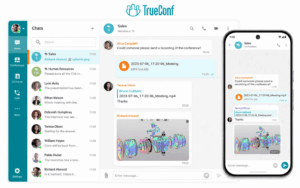
TrueConf is a comprehensive communication solution that merges secure team messaging, high-definition video conferencing, and powerful collaboration features into a single platform. It is distinguished by its on-premises deployment option, enabling organizations to retain complete control over their data — a major benefit for government bodies, enterprises, and institutions operating under strict security standards.

TrueConf additionally offers private cloud setups, screen sharing, and group messaging without relying on an internet connection, making it highly suitable for closed corporate infrastructures and sensitive operational environments. The platform supports up to 1,500 participants per conference, offers SIP/H.323 protocol compatibility for legacy AV equipment, and provides granular role-based access controls.

What separates TrueConf from most self-hosted alternatives is the maturity of its video infrastructure: it was built for video first, with messaging added as a complementary layer — not the reverse. Organizations that have invested in on-premises AV ecosystems will find TrueConf integrates with that infrastructure in ways that pure-messaging tools cannot match.

Strengths

  • Highly secure on-premises or private cloud setup

  • Combines video conferencing, team communication, and screen sharing in a single platform

  • No internet requirement for internal connectivity

  • Compatible with desktop, web, and mobile applications

  • Perpetual licensing option eliminates recurring per-seat costs

  • SIP/H.323 compatibility for hardware room systems

Limitations

  • User interface may seem complex for smaller teams

  • Fewer third-party integrations than cloud-based tools

  • Requires server infrastructure and internal IT support

Best for

Organizations focused on security, self-hosted deployment, and enterprise-level video collaboration.

2. Slack

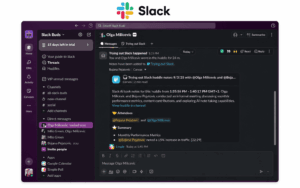
Slack is among the most popular company chat platforms, appreciated for its intuitive design, extensive integrations, and active developer ecosystem. It provides channels for organized communication, threaded conversations for detailed discussions, and a massive range of app integrations — covering everything from project management tools to workflow automation bots.

Slack has evolved into a central collaboration space for startups, technology firms, and creative groups that rely on instant communication and adaptability. Its Workflow Builder allows non-technical users to automate repetitive processes without writing code. The Canvas feature added document-like collaboration directly within channels, reducing the need to switch to external document tools.

The free tier is functional but limits message history to 90 days and restricts integration count — a constraint that matters more than many small teams initially realize. At scale, Slack’s per-seat pricing can become the single largest SaaS line item in a company’s budget.

Strengths

  • Exceptional user interface with structured threads and channels

  • 2,500+ integrations and automation bots

  • Advanced message search and detailed history on paid tiers

  • Strong developer community and API ecosystem

Limitations

  • Can become costly for larger organizations

  • Excessive notifications or channels can cause distraction

  • Free tier severely limits message history

Best for

Tech startups and creative teams seeking a dynamic, cloud-based collaboration environment.

3. Microsoft Teams

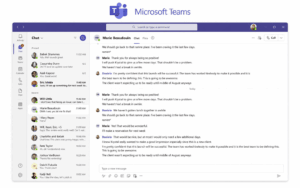
Microsoft Teams is a robust collaboration solution tightly integrated within the Microsoft 365 environment. It unifies messaging, video conferencing, file sharing, and project coordination in one centralized workspace. Teams has evolved into a preferred option for corporations, universities, and government organizations.

Its seamless connection with Outlook, SharePoint, and OneDrive transforms it into a comprehensive communication center for Microsoft-focused infrastructures. The platform’s compliance toolkit — including eDiscovery, legal hold, retention policies, and advanced auditing — makes it a strong choice for regulated industries where chat history is treated as a legal artifact.

The tradeoff is user experience complexity: Teams has significantly more surface area than pure messaging tools, and organizations without structured onboarding often end up with fragmented usage patterns where some teams use it for meetings only and continue using email for everything else.

Strengths

  • Strong integration across Microsoft 365 applications

  • Includes built-in video meetings and document sharing

  • High-level enterprise security and regulatory compliance

  • Bundled with existing M365 licenses — often zero additional cost

Limitations

  • User interface can seem complex for beginners

  • Full functionality requires a Microsoft 365 plan

  • Performance can degrade in large organizations without proper governance

Best for

Large enterprises and academic institutions operating within the Microsoft ecosystem.

4. Flock

Flock is an efficient and cost-effective alternative to larger enterprise messaging platforms. It includes all the core features — real-time chat, video meetings, file sharing, and productivity tools such as polls and task lists — within an intuitive and accessible interface.

Built for ease of use, Flock enables smaller businesses to collaborate smoothly without the expense or complexity of enterprise-level software. The platform’s pricing is transparently structured and significantly lower than Slack at equivalent feature levels, making it a rational first step for organizations graduating from email to structured chat.

Flock’s integration library is smaller than Slack’s or Teams’, but covers the most commonly used tools — Google Workspace, Trello, GitHub, Asana — which is sufficient for most SMB workflows.

Strengths

  • Low-cost plans with key chat and video capabilities

  • Integrated task lists and polling tools

  • Lightweight design and simple navigation

Limitations

  • Fewer advanced integrations available

  • Smaller user base compared to Slack or Teams

  • Limited compliance and audit tooling

Best for

Small organizations seeking a practical, affordable, and user-friendly communication solution.

5. Connecteam

Connecteam is an innovative, mobile-oriented communication and management platform created specifically for frontline and non-desk workers. In addition to messaging, it offers functionalities for task planning, time tracking, employee training, and HR coordination — all conveniently managed through an easy-to-use mobile interface.

Connecteam enables organizations in retail, logistics, hospitality, and field operations to keep dispersed teams engaged and well-coordinated, even when working remotely or on the move. The platform’s pricing model is unusual: it charges per-location or flat monthly rate for small teams rather than strictly per-seat, making it more cost-effective for high-turnover industries where user counts fluctuate significantly.

Strengths

  • Built specifically for frontline and non-desk teams

  • Offers task scheduling, time tracking, and HR management tools

  • Optimized for mobile use with a simple, intuitive design

  • Unusual pricing structure suits industries with variable headcount

Limitations

  • Fewer integration options with third-party platforms

  • Certain capabilities are restricted to premium subscription tiers

  • Not well-suited for knowledge worker or desk-based teams

Best for

Field workers, retail operations, and service-based industries requiring a mobile-first communication and management platform.

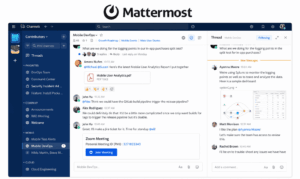
6. Mattermost

Mattermost is an open-source messaging platform designed for technical teams that need the flexibility of full self-hosting without sacrificing enterprise-grade features. It is particularly popular in DevOps, cybersecurity, defense, and regulated financial services — environments where the very concept of data leaving internal infrastructure is unacceptable.

Unlike proprietary on-premises solutions, Mattermost’s open-source core allows organizations to audit the codebase, customize the platform extensively, and integrate deeply with CI/CD pipelines, incident management tools, and security information systems. The platform supports GitLab, Jira, Jenkins, PagerDuty, and dozens of other developer-centric integrations natively.

Mattermost’s enterprise tier adds compliance exports, custom retention policies, LDAP/AD sync, and high-availability clustering. Its positioning is essentially: “what Slack would be if you controlled every byte.”

Strengths

  • Fully open-source; auditable codebase

  • True self-hosted deployment with air-gap capability

  • Strong DevOps and security toolchain integrations

  • Active open-source community and commercial support options

  • Compliance-ready with HIPAA, GDPR, FedRAMP-adjacent configurations

Limitations

  • Requires more technical setup than commercial SaaS alternatives

  • UI/UX is functional but less polished than Slack

  • Mobile experience lags behind cloud-native competitors

Best for

DevOps teams, cybersecurity organizations, government contractors, and any enterprise that needs open-source-verifiable self-hosted chat.

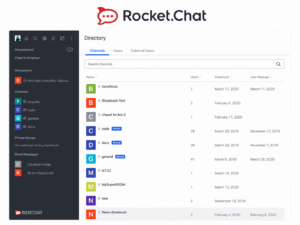
7. Rocket.Chat

Rocket.Chat is another open-source platform with a broader target audience than Mattermost — it positions itself as a universal communication hub capable of handling internal team chat, customer-facing live chat, omnichannel support, and even marketplace-style community conversations from a single installation.

Available as self-hosted (open-source), SaaS, or private cloud, Rocket.Chat offers more deployment flexibility than most alternatives. Its marketplace includes bots, bridges to WhatsApp/Instagram/email, and integrations with CRMs — making it an unusual choice for organizations that want a single platform to handle both internal and external communication.

The open-source community edition is genuinely feature-rich, though enterprise features like push notification gateway, read receipts at scale, and audit logging require the commercial tier.

Strengths

  • Open-source with self-hosted option

  • Omnichannel: handles internal chat, live chat, and social messaging in one platform

  • Active plugin and integration marketplace

  • Strong community and documentation

Limitations

  • Can be complex to administer at scale

  • Performance requires careful server tuning for large deployments

  • Enterprise features behind commercial license

Best for

Mid-market organizations wanting open-source flexibility with both internal and external communication in one platform.

8. Twist

Twist is a fundamentally different product from the others on this list — and that difference is intentional. Built by the team behind Todoist, Twist is designed for async-first communication. Instead of real-time channels, it uses threaded conversations organized by topic, where the expectation is that you read and respond on your own schedule rather than monitoring a live stream.

This design philosophy makes Twist particularly effective for fully distributed teams across multiple time zones where the pressure to respond immediately creates unnecessary stress and fragmented work sessions. Twist’s interface actively discourages notification overload by not displaying online/offline presence indicators and not showing “typing…” indicators.

For teams that have explicitly adopted async-first working norms, Twist is one of the most coherent implementations of that philosophy currently available. It is not a good fit for teams that need real-time coordination, incident response channels, or live operational communication.

Strengths

  • Thread-first design forces organized, searchable discussions

  • Minimal notification pressure; designed for deep work

  • Excellent for globally distributed teams

  • Integrates with Todoist, GitHub, Asana, and Zapier

Limitations

  • Not suitable for real-time or incident response communication

  • Smaller ecosystem than Slack or Teams

  • No video conferencing built in

Best for

Remote-native, async-first teams distributed across multiple time zones where deep work and structured communication take priority over speed.

9. Lark (by ByteDance)

Lark is ByteDance’s enterprise collaboration suite and one of the most feature-complete all-in-one platforms on this list. It combines messaging, video calls, document collaboration (similar to Notion), project management, calendar, email, and approval workflows in a single application — and its pricing is aggressive relative to the feature depth offered.

Lark has gained significant traction in Asia-Pacific markets and among globally distributed organizations looking for an alternative to the Microsoft 365 or Google Workspace ecosystems. Its native document collaboration tool (Lark Docs) supports real-time co-editing with a structure closer to Notion than Google Docs, which makes it appealing to teams that use documents as living operational artifacts.

The primary concern with Lark for Western enterprises is data residency and the ByteDance ownership structure, which may create regulatory or policy objections in certain jurisdictions and industries.

Strengths

  • Extremely broad feature set: messaging, docs, calendar, video, approvals in one platform

  • Competitive pricing relative to Microsoft 365 or Google Workspace equivalents

  • Strong real-time document collaboration

  • Mobile experience is polished and fast

Limitations

  • ByteDance ownership raises data sovereignty questions in some jurisdictions

  • Smaller integration ecosystem for Western business tools

  • Less established in enterprise IT procurement workflows outside Asia-Pacific

Best for

Global teams, Asia-Pacific organizations, and companies seeking an all-in-one suite at below-market pricing.

10. Zulip

Zulip is an open-source team chat platform with a unique organizational model: conversations are structured by “streams” (channels) and “topics” within those streams, creating a two-level hierarchy that forces more organized threading than flat-channel tools like Slack.

This structure makes Zulip particularly well-suited for organizations where message volume is high and conversations need to remain searchable and contextually navigable over long periods — open-source projects, research teams, developer communities, and academic departments use Zulip extensively.

The cloud version is free for most open-source projects. Self-hosted deployment is straightforward and well-documented. Zulip’s compliance with GDPR and its fully auditable open-source codebase make it attractive for privacy-conscious organizations.

Strengths

  • Unique stream + topic threading model reduces noise significantly

  • Fully open-source with active development

  • Excellent for high-volume technical discussions

  • Free cloud tier for open-source organizations; low-cost self-hosting

Limitations

  • The threading model has a learning curve for teams used to flat channels

  • Smaller integration marketplace than Slack

  • No built-in video conferencing

Best for

Developer communities, open-source projects, research organizations, and any team that prioritizes searchable, organized long-term discussions.

11. Chanty

Chanty is a simple, focused team messaging app positioned as an antidote to feature overload. It offers channels, direct messages, threaded replies, task management, voice messages, and basic video calls — without the sprawling complexity of enterprise platforms.

What makes Chanty worth considering for small teams is its unlimited message history on all paid plans, which Slack restricts on lower tiers. The task management feature is built natively rather than requiring a third-party integration, which reduces the tool-switching overhead for small teams managing light project loads.

Strengths

  • Unlimited message history on paid plans

  • Built-in task management

  • Clean, distraction-free interface

  • Competitive pricing for small teams

Limitations

  • Limited integrations (approximately 20+ native)

  • Not suitable for large organizations or complex workflows

  • Video call quality lags behind dedicated conferencing tools

Best for

Small teams of 2–50 people who want a simple, affordable Slack alternative with unlimited message history.

12. Pumble

Pumble is a team messaging platform from the makers of Clockify and Plaky, designed to be a direct Slack alternative with a significantly more generous free tier. Its free plan includes unlimited message history and unlimited users — two constraints that are heavily restricted on Slack’s free plan.

For early-stage startups, non-profits, and small businesses that need a structured messaging environment but cannot justify per-seat SaaS costs, Pumble fills a real gap. The interface is intentionally Slack-adjacent, which reduces the learning curve for teams migrating from Slack.

Strengths

  • Free plan includes unlimited message history and unlimited users

  • Familiar Slack-like interface

  • Integrates with Clockify for time tracking

  • Video and audio calls on all plans

Limitations

  • Smaller integration ecosystem

  • Less mature than Slack or Teams

  • Advanced admin and compliance features are limited

Best for

Budget-conscious teams, non-profits, and early-stage startups that need Slack-like functionality without Slack-level pricing.

13. Wire for Business

Wire is an end-to-end encrypted communication platform built with a security-first architecture that is fundamentally different from most enterprise chat tools. Every message, call, file, and notification is encrypted end-to-end by default — not just in transit, but between specific devices using the Proteus protocol (derived from Signal).

Wire for Business offers both cloud-hosted and on-premises deployment. The on-premises version can run in fully air-gapped environments. Wire is compliant with GDPR, BSI (Germany’s Federal Office for Information Security), and several other European regulatory frameworks — making it one of the strongest choices for European enterprises with strict data protection requirements.

Unlike TrueConf (which prioritizes video infrastructure) or Mattermost (which prioritizes DevOps integrations), Wire’s core differentiator is cryptographic security at every layer — including metadata minimization, which few enterprise tools address.

Strengths

  • End-to-end encryption by default for all communication types

  • On-premises deployment with air-gap capability

  • GDPR-compliant architecture; strong European regulatory standing

  • Metadata minimization — a rare feature among enterprise tools

Limitations

  • Fewer integrations than mainstream platforms

  • Video conferencing is functional but not a primary strength

  • Smaller user community and ecosystem than Slack or Teams

Best for

European enterprises, legal and financial services organizations, and any team where cryptographic security and metadata privacy are non-negotiable requirements.

14. Brosix

Brosix is a small-business-focused enterprise messaging platform that sits in an interesting middle ground: it offers self-contained network control (meaning the company controls who can communicate with whom, with hard perimeter enforcement) without requiring full on-premises server deployment.

Brosix provides a private team network where external users cannot join without explicit admin approval. Features include chat, file transfer, screen sharing, virtual whiteboard, voice and video calls, and a broadcast messaging system for announcements. It supports both cloud and on-premises deployment.

For SMBs that want the control model of an on-premises solution but lack the IT resources to manage a full server deployment, Brosix’s managed private network model is a practical middle ground rarely offered by other platforms.

Strengths

  • Hard-perimeter private network model: no public users can join

  • Screen sharing and virtual whiteboard included

  • Cloud or on-premises deployment

  • Simple administration for non-technical admins

Limitations

  • Limited third-party integrations

  • Not designed for large enterprise deployments

  • Less polished UI compared to Slack or Teams

Best for

SMBs that want managed communication control without full on-premises IT infrastructure investment.

15. Spike

Spike takes a different approach to the “replace email” problem: rather than building a separate messaging tool, it turns email into a real-time chat experience. Spike connects to existing email accounts (Gmail, Outlook, any IMAP/SMTP server) and renders email threads as chat conversations, eliminating the cognitive overhead of switching between email and a messaging app.

For teams that are deeply embedded in email workflows — particularly those that communicate heavily with external stakeholders who will never adopt an internal messaging tool — Spike reduces context switching without requiring a complete communication overhaul. It also includes a calendar, video meetings, and collaborative notes.

Strengths

  • Unifies email and chat in a single interface

  • No need to migrate existing contacts or external communication

  • Works with Gmail, Outlook, and any IMAP server

  • Reduces context switching for email-heavy workflows

Limitations

  • Not a replacement for structured internal channel-based communication

  • Dependent on email infrastructure; less suitable for email-free organizations

  • Privacy depends on the underlying email provider

Best for

Teams that communicate heavily with external parties via email and want chat-like speed without abandoning email infrastructure.

Why Company May Need Chat Software?

Boost Productivity

Instant messaging removes the delay caused by waiting for email replies or organizing lengthy meetings. Team members can share brief updates, confirm assignments, or pose questions within moments, guaranteeing that projects move forward without unwanted pauses. Numerous chat platforms additionally enable participants to mention teammates, start topic-based conversations, or send concise voice notes—keeping daily communication seamless and highly productive.

Enhance Collaboration

Modern chat platforms extend far beyond messaging. They enable groups to exchange files, visuals, and documents, collaborate on them simultaneously, and conduct quick video meetings or live screen-sharing sessions. This minimizes reliance on numerous separate applications and unifies all teamwork within a single environment. Whether it involves planning a marketing initiative or addressing a technical challenge, staff members can share insights and propose solutions instantly.

Improve Transparency

One of the greatest advantages of chat software rests in its capacity to keep communication open and easy to access. Rather than fragmented email exchanges or hidden conversations, teams can structure discussions into open channels or topic-driven groups. This guarantees that all participants can view progress, decisions, and updates instantly. Such transparency promotes responsibility, coordination, and a deeper feeling of collective purpose.

Integrate Workflows

Company chat software goes beyond simple conversation—it also functions as a central hub linking the tools that teams already rely on. Integrations with project management systems such as Trello or Asana, cloud storage services like Google Workspace or OneDrive, and CRMs such as Salesforce enable employees to handle their full workflow within one unified interface. Updates, reminders, and notifications appear directly in chat, removing the constant need to jump between multiple applications.

As businesses expand, selecting the right company chat infrastructure becomes critical for maintaining effective communication across growing teams. Companychat solutions must evolve from simple messaging tools to comprehensive company chat software that can scale with organizational needs. Collaboration and enterprise chat software platforms now offer advanced features like AI-powered search, automated workflows, and cross-platform synchronization that transform corporate chat from a basic utility into a strategic asset. When learning how to choose a scalable chat platform for growing teams, leaders should prioritize flexibility, integration capabilities, and total cost of ownership. Corporate chat software must support increasing user counts without performance degradation while maintaining security standards. For some organizations, an on-premises chat solution for corporations provides the control and customization needed for complex IT environments. The most effective company chat systems adapt to changing business requirements, ensuring that collaboration and enterprise chat software investments deliver long-term value as teams expand across locations and time zones.

Deployment Model Comparison: Cloud vs. On-Premises

Dimension

Cloud-Based (Slack, Teams, Flock)

On-Premises (TrueConf Server)

Setup time

Minutes to hours

Days (server provisioning required)

IT resource requirement

Minimal

Moderate to high

Data residency control

Dependent on vendor’s data centers

Full control within your infrastructure

Internet dependency

Required

Not required for internal communication

Regulatory compliance

Vendor-managed certifications

Organization-managed, fully auditable

Ongoing costs

Monthly/annual per-user subscription

One-time license + internal server costs

Disaster recovery

Vendor-managed

Organization-managed

Customization depth

Moderate (via APIs and integrations)

High (server-level configuration)

Vendor lock-in risk

High

Low

Insight #2 — The “Integration Trap”: More Connections Don’t Equal Better Communication

Governance Over Feature Count

Platforms with 2,000+ integrations are often presented as the obvious choice for connected organizations. But integration breadth is only valuable if the organization has the IT maturity to govern those connections. Every third-party integration is a potential data flow that exits your controlled environment. For organizations in regulated industries — finance, healthcare, government — a platform with fewer but more deeply auditable integrations (or a self-hosted environment where data never leaves the network) is often a stronger choice than a sprawling integration marketplace that is difficult to monitor. Governance, not feature count, should drive this decision.

Use Cases and Scenarios

Team Coordination

One of the most frequent applications is effective team coordination. Remote teams depend on chat software to organize projects, delegate tasks, and communicate updates instantly. For example, a digital marketing agency using Slack could establish individual channels for each client, such as #client-abc or #client-xyz. Designers, editors, and supervisors can work together in real time, share creative assets, and review feedback without the chaos of long email chains. Through integration with tools like Trello or Asana, project changes appear automatically in chat, ensuring alignment among all team members and increasing overall productivity.

Customer Support

Another key application is customer support. In this area, efficiency and precision are essential. Internal chat systems enable support representatives to instantly connect with technical teams or managers for assistance. A software company using Microsoft Teams, for instance, could manage a #support-escalations channel where frontline staff can mention developers when handling complex technical problems. Using real-time messaging or screen sharing, teams can address customer concerns more quickly, shortening resolution times and increasing satisfaction rates.

IT and DevOps

IT and DevOps departments also gain tremendous advantages from chat integrations. Numerous companies utilize chat platforms as active monitoring centers. Notifications from services like GitLab, Jira, or Datadog may be automatically directed to specific channels such as #devops-alerts. For instance, an organization using TrueConf Server could set up its chat environment to alert developers whenever a deployment error occurs or a new issue is reported. Team members can react immediately, delegate actions, and manage fixes directly within chat, resulting in quicker incident recovery and greater system reliability.

HR Communication

In HR communication, chat software promotes involvement and openness throughout the organization. Human Resources departments utilize chat platforms to distribute company news, onboarding resources, and feedback questionnaires. A medium-sized manufacturing firm using Flock, for instance, may publish weekly updates in a specific channel and run employee surveys through integrated polls. Private conversations can also serve to greet new hires and provide training materials. This strategy enables HR to stay closely connected with employees, inspire engagement, and nurture a more transparent workplace culture.

Sales and Marketing

Finally, sales and marketing teams rely on chat software to maintain alignment around objectives and progress. Departments can exchange new leads, monitor opportunities, and recognize achievements instantly. A multinational organization using Connecteam or Slack, for example, could integrate its chat platform with HubSpot CRM so that whenever a lead is created or a deal is completed, an automatic alert appears in the #sales-updates channel. This setup enables marketing departments to promptly organize follow-up initiatives or evaluate effective strategies.

How to Choose Company Chat Software

Selecting the right company chat software goes beyond simply choosing the most well-known platform — it involves identifying a solution that aligns with your organization’s scale, culture, security needs, and operational processes. The perfect platform should improve collaboration while avoiding added complexity or excessive expense. Listed below are the main aspects to evaluate, along with practical examples to support your decision-making process.

When evaluating corporate chat solutions, it’s essential to consider not just core features but also security architecture: if your organization handles sensitive data, you should prioritize secure chat platforms for enterprises with end-to-end encryption and compliance certifications.

Security & Compliance

Security must always remain the top priority, particularly for sectors managing confidential or sensitive information. Choose platforms that provide full end-to-end encryption, granular role-based permissions, and adherence to data privacy standards like GDPR or HIPAA. For instance, TrueConf enables organizations to implement a completely on-premises setup, ensuring that all messages and documents stay within their internal network — an ideal choice for government bodies, medical facilities, and financial enterprises. Conversely, Microsoft Teams and Slack both deliver enterprise-grade security credentials and compliance frameworks for cloud-based environments, making them well-suited for regulated industries that still value the flexibility of hosted solutions.

Deployment Type

An organization’s IT framework and internal policies will heavily influence the decision between a cloud-hosted or on-premises chat platform. Cloud-based solutions such as Slack, Flock, and Connecteam demand little configuration and manage updates and scalability automatically, making them perfect for small to mid-sized companies lacking a full IT department. In contrast, larger corporations or those with heightened data governance requirements may opt for on-premises deployment — for example, TrueConf Server enables businesses to maintain all communication within their secured private network, providing enhanced protection and full autonomy from external infrastructure.

Integrations

The most effective chat software does not operate independently — it integrates seamlessly into the broader digital environment of an organization. Before making a selection, evaluate how efficiently the platform connects with existing systems such as Google Workspace, Microsoft 365, Trello, or CRM tools like Salesforce and HubSpot. For example, Slack excels in this domain with thousands of integrations and automation bots capable of performing tasks, sending notifications, and importing data directly into chat channels. Similarly, Microsoft Teams offers flawless synchronization with Word, Excel, PowerPoint, and SharePoint, making it an excellent choice for companies already established within the Microsoft ecosystem.

Ease of Use

Adoption remains crucial for achieving success. Even the most advanced and feature-packed chat platform will struggle if employees perceive it as complex or unintuitive. Choose a solution that provides a clear interface, strong mobile compatibility, and an easy learning experience. Flock and Connecteam, for instance, are praised for their simplicity and user-friendly layouts — making them excellent options for non-technical teams or organizations where quick onboarding is essential. Conversely, Teams delivers more sophisticated capabilities but can seem daunting for beginners, often requiring structured onboarding sessions and training support.

Scalability

As an organization expands, its communication demands inevitably increase. The chat platform selected should effortlessly scale to include additional users, departments, and integrations without performance degradation or excessive cost escalation. Slack and Microsoft Teams serve as strong examples of adaptable systems capable of supporting organizations ranging from small teams to global enterprises with thousands of members. For businesses anticipating fast growth or international expansion, it is essential to ensure the chosen platform can manage higher message throughput, extended file capacity, and more advanced access control frameworks.

Cost Efficiency

Finally, it is important to balance required features with the available long-term budget. Certain platforms, such as Flock or Connecteam, deliver cost-efficient pricing options that include all essential chat and collaboration functions, making them well-suited for startups and smaller companies. Others, including Slack and Teams, provide more advanced functionality but may necessitate paid subscriptions for unlimited message storage, enhanced integrations, or administrative management tools. For organizations aiming to reduce recurring subscription expenses, TrueConf’s perpetual licensing model serves as a budget-friendly alternative, particularly beneficial for businesses operating their own internal servers.

Conclusion

Company chat software has evolved into a fundamental element of contemporary workplace communication. Whether an organization requires a secure on-premises platform like TrueConf, a versatile cloud-based solution like Slack, or a mobile-oriented system like Connecteam, the optimal selection depends on the team’s scale, business sector, and operational processes. Implementing an effective chat platform strengthens collaboration, speeds up decision-making, and fosters a more unified and connected work environment.

FAQ: Everything You Need to Know

What is company chat software, and how is it different from consumer messaging apps?
Company chat software is a business-grade communication platform designed for internal team collaboration, with features like organized channels, administrative controls, compliance tools, audit logs, and integrations with business systems. Unlike consumer apps such as WhatsApp or Telegram, corporate chat software provides centralized user management, enforceable security policies, and data retention controls. Solutions like TrueConf additionally offer on-premises deployment, which consumer apps do not support.
What is the difference between cloud-based and on-premises company chat software?
Cloud-based platforms (Slack, Flock, Microsoft Teams) are hosted by the vendor and accessible via the internet, requiring minimal setup but placing data on external servers. On-premises platforms like TrueConf Server are deployed within the organization’s own infrastructure, giving full control over data residency, network traffic, and compliance auditing. For organizations with strict data governance requirements, on-premises deployment is often the only viable option.
Which company chat software is best for highly regulated or security-sensitive industries?
For industries where data cannot leave internal infrastructure — government, defense, healthcare, finance — TrueConf’s on-premises deployment is the strongest choice, as it operates entirely within the organization’s network without requiring internet access for internal communication. Microsoft Teams also offers enterprise-grade compliance tools and certifications suitable for regulated cloud environments. The choice depends on whether data must stay on-premises or can reside in a certified cloud environment.
Can company chat software replace email entirely?
In many organizations, company chat software significantly reduces email volume by handling real-time communication, project coordination, and quick decisions in channels and direct messages. However, email typically remains necessary for formal external communication, legal correspondence, and situations requiring documented delivery confirmation. Platforms like Microsoft Teams and TrueConf can substantially reduce internal email dependency, but full replacement is rarely practical or advisable.
What features should I prioritize when evaluating company chat software?
The most important factors depend on your organization’s profile: security-sensitive organizations should prioritize encryption, data residency, and compliance certifications; growing teams should assess scalability and integration depth; frontline or mobile workforces should focus on mobile UX (where Connecteam excels); Microsoft-centric environments will benefit most from Teams’ native ecosystem integration. Define your non-negotiable requirements — deployment model, compliance, integration must-haves — before comparing features.
Is on-premises chat software harder to manage than a cloud solution?
On-premises deployment requires more internal IT resources for initial setup, maintenance, and updates. However, it gives organizations full control, eliminates vendor dependency, and removes ongoing per-seat subscription costs. TrueConf Server, for example, is designed for enterprise IT teams and includes centralized administration tools, but it does require server infrastructure and internal IT support. For organizations with limited IT capacity, cloud-based alternatives like Slack or Flock are significantly easier to manage day-to-day.
How do I migrate from one chat platform to another without disrupting operations?
Successful migrations typically follow a phased approach: run both platforms in parallel for a defined transition period, export and archive message history from the old platform before decommissioning, train team leads first so they can support their teams, and establish a hard cutover date to avoid long-term split usage. Organizations moving to TrueConf from a cloud platform should additionally plan for server provisioning, network configuration, and user directory integration before migrating active communication. Thorough planning and a clear communication timeline are more important than the technical migration itself.

Author

Olga Afonina

Olga Afonina is a technology writer specializing in video conferencing, collaboration software, and workplace communication. She writes articles and reviews that help readers better understand enterprise communication tools and industry trends.