

Ten years ago, choosing a video conferencing tool came down to checking connection quality and price. Today, however, you need to consider where your data is stored, who has access to it, and what will happen if a request comes from a regulatory agency.
This guide reviews ten business video conferencing platforms and explains which companies each one is best suited for.
Key Takeaways
Bottom Line First
Zoom and Microsoft Teams allow most small and medium-sized teams to get up and running the fastest. If you’re already using the Zoho ecosystem and are on a budget, Zoho Meeting is a smart choice. Whereby is well-suited for teams that just need to click a link and start a conversation—without downloading any software. Companies with strict security requirements, private networks, or physically isolated systems should consider TrueConf or Cisco Webex.
What Most People Get Wrong
One mistake we see all the time is treating the “cloud vs. on-premises” question as just a footnote in the technical specifications. But that’s not the case. This choice determines where data is transferred, how regulatory compliance will be ensured, who will administer the system, and how much you’ll be paying five years from now.
Quick Comparison of the Top 10 Video Conferencing Platforms
The 10 Best Video Conferencing Platforms for Business
10. Whereby
The concept behind Whereby is simple: click on a link, and you’re already in the room. No installation, no account, no “waiting rooms.” The host creates a permanent room, shares the link, and guests join via their browser from any device.
That’s exactly why this platform is popular with freelancers, small agencies, and consultants who spend their days in meetings with various clients.
You can customize room branding, make them permanent, and integrate tools like Google Docs, Trello, and YouTube. The screen-sharing feature works great in most modern browsers.

Pros
-
No app installation required
-
Permanent rooms with customizable links
-
Extremely simple interface
-
Virtually no training required
-
Free plan available
Limitations
-
Basic plans limit the number of participants
-
Analytics and administration tools are limited
-
No self-hosting option
-
Not designed for large corporate events
G2 Rating: 4.6/5. Most highly rated aspects: browser access and ease of use. Common criticisms: limited functionality and participant count
9. RingCentral Video
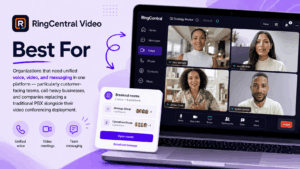
RingCentral Video is part of RingEX—a single license covers phone calls, video conferencing, and team chat.
Most video services were originally created as video services, with the calling feature added later. RingCentral took a different approach: the company first built its business on cloud-based telephony and then added video conferencing capabilities on top of its already well-established infrastructure.
This history is reflected in who this service is best suited for—teams that work with customers, contact centers, and companies where phone and video calls are equally important.
Guests join via a browser; no downloads are required. You get HD-quality video, screen sharing, recording, and integration with Salesforce, Microsoft 365, Google Workspace, and Slack. Enterprise accounts also include centralized administration and call analytics.
Pros
-
Voice, video, and messaging in a single app
-
Guest access via a web browser
-
Seamless integration with major business applications
-
Centralized communication analytics
-
Built-in international calling
Cons
-
Video features lag behind those of specialized platforms
-
More expensive than a standalone meeting tool
-
May seem overly complex if you only need video calling
-
No self-hosting option
G2 Rating: 4.2/5 Top-rated features: unified communications and mobility. Common criticisms: complex pricing and a long learning curve
8. Zoho Meeting
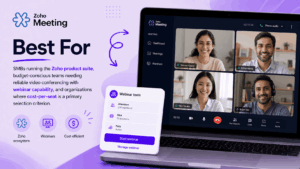
Zoho Meeting is one of the most affordable options on this list: HD video, screen sharing, virtual whiteboards, remote desktop access, recording, webinars, and encryption—it all comes standard.
Its real advantage becomes clear if you’re already working within the Zoho ecosystem. If you use Zoho CRM or Zoho Desk, meetings integrate seamlessly into your existing workflows.
The service runs in a browser and supports Windows, macOS, Linux, Android, and iOS—its support for Linux alone puts it ahead of several competitors. Custom links, branding, and invitation management are all included as well.
Issues arise when scaling up: users report unstable audio and video during large meetings, and outside the Zoho ecosystem, the list of integration options quickly shrinks compared to Teams or Meet.
Pros
-
Low upfront cost
-
Free plan available
-
Tight integration with Zoho apps
-
Works in a browser
-
Supports Linux
-
Includes virtual whiteboards, remote control, and webinars
Cons
-
Glitches may occur during large meetings
-
Less useful outside the Zoho ecosystem
-
More limited administrative features
-
The brand is less well-known among external users
G2 Rating: 4.5/5 Top-rated aspects: affordability and integration with Zoho Common criticisms: audio instability and limited external integration capabilities
7. Zoom
Zoom is suitable for everything from daily team planning meetings to full-scale webinars and calls with external clients.
Its real strength lies in the fact that people simply know how to use it. New participants rarely need instructions, and the service itself integrates with a wide range of tools for planning, training, and customer relationship management (CRM).
Discussion rooms, recordings, webinars, virtual events, virtual whiteboards, and AI-generated summaries—all of these are available for both large and small meetings.
But there’s one caveat: Zoom operates exclusively in the cloud. You cannot run the entire platform within your own network, and more advanced administration and compliance features are only available in more expensive pricing plans.

Pros
-
Familiar to virtually everyone
-
Easy for new participants to join
-
Huge market for integrations
-
Handles webinars and virtual events well
-
Performs reliably even with an unstable connection
-
Built-in AI-generated summaries
Disadvantages
-
No full self-hosting capability
-
Advanced settings are available for an additional fee
-
The price per host increases significantly as scale grows
-
The interface has become more cluttered as new features have been added
G2 Rating: 4.5/5 Top-rated aspects: ease of use, quality, and reliability. Common criticisms: a complex interface and connection issues with a weak internet connection
6. Microsoft Teams
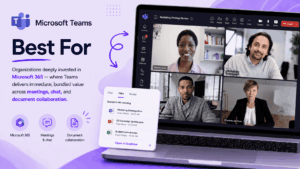
Teams brings messaging, meetings, calls, and document collaboration all together in one place.
Its main advantage is integration with Microsoft 365. Schedule meetings through Outlook, edit Word and Excel files right during a meeting, store everything in SharePoint or OneDrive, and keep the conversation going in persistent channels. If you already have a 365 subscription, Teams can completely replace a standalone meeting tool.
In addition, it provides the level of regulatory compliance required by large organizations: data retention policies, data loss prevention, and e-discovery.
However, when you step outside the Microsoft ecosystem, Teams starts to feel cumbersome. Reviews often mention long loading times and an overloaded interface.
Pros
-
Deep integration with Microsoft 365
-
Meetings, chat, and files all in one place
-
Persistent channels
-
Data retention and compliance controls
-
Often already included in your license
Cons
-
The interface can feel cluttered
-
High resource requirements
-
Value is reduced without Microsoft 365
-
Performance issues have been reported in some environments
G2 Rating: 4.4/5 Top-rated features: collaboration and integration with Microsoft 365 Common criticisms: slow loading, interface complexity, and occasional errors
5. Google Meet
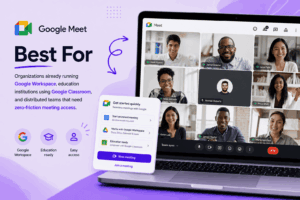
Google Meet runs in a browser and is part of Google Workspace.
You can schedule meetings from Calendar or Gmail and join via a link—no client app installation is required. This ease of use makes the service an obvious choice for teams without in-depth technical knowledge.
It’s especially useful if you’re already actively using Gmail, Calendar, and Drive.
What’s missing: powerful webinar tools, in-depth analytics, and a true option for on-premises deployment. You can’t choose how your data is transmitted—Google decides that.
Strengths
Pros
-
Works entirely in the browser
-
No software required for basic use
-
Tight integration with Gmail and Calendar
-
Clean, simple interface
-
Included in many Workspace pricing plans
Cons
-
Limited webinar capabilities
-
Limited analytics
-
No self-hosting option
-
Actual value depends on Workspace usage
G2 Rating: 4.6/5 Most highly rated aspects: simplicity and Calendar integration Common criticisms: limited advanced features
4. Cisco Webex
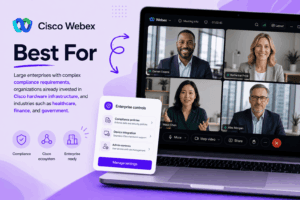
Webex is designed for conducting meetings, webinars, calls, events, and collaboration on an enterprise scale.
It is most commonly used in large organizations and regulated industries, where encryption, administrative controls, and regulatory compliance are just as important as connection quality. In addition, you’ll have access to breakout rooms, polls, transcription, noise cancellation, summaries, and real-time translation.
Its main advantage is Cisco’s proprietary conference room hardware. Companies already using Cisco equipment can manage both software and hardware from a single location.
The downsides are cost and complexity. You’ll likely need knowledgeable IT specialists, and occasional external participants sometimes find the client application “heavier” than browser-only alternatives.
Pros
-
Enterprise-grade security
-
Compatibility with Cisco conference room systems
-
Automatic summaries and noise cancellation
-
Real-time translation and transcription
-
Breakout rooms, polls, and Q&A tools
-
Support for large-scale events
Limitations
-
More expensive than basic tools
-
Administrator setup requires real expert knowledge
-
Complex for casual users
-
Longer learning curve
G2 Rating: 4.3/5 Top-rated features: security, corporate support, and extensive functionality. Common criticisms: complicated setup and pricing
3. GoTo Meeting
GoTo Meeting is a cloud-based tool designed specifically for business meetings and remote work: video conferencing, screen sharing, recordings, transcripts, mobile apps, and integration with Salesforce, Slack, and Microsoft 365.
The “Travel Mode” feature reduces data usage, which is important if your team frequently uses mobile networks or works in areas with unstable connections.
Pricing is predictable and depends on the number of organizers, but you won’t find the same level of functionality for large enterprises here as you would with Webex or Teams.

Pros
-
“Travel Mode” to conserve mobile data
-
Consistent audio and video quality
-
Integration with popular business apps
-
Transparent pricing
-
Recording and transcription included in the price
Cons
-
Fewer enterprise-level features
-
No self-hosting option
-
Not integrated with a wider range of productivity tools
-
The interface could use some improvement
G2 rating: 4.2/5 Most highly rated aspects: reliability and quick setup Common criticisms: interface and standalone licensing
2. BlueJeans Meetings
BlueJeans has built a reputation for its enterprise video solutions and Dolby Voice audio technology.
Designed for enterprise use, this platform integrates with conference room systems and provides analytics and participant management tools for large-scale events.
Audio has always been a key strength. And, frankly, that’s what you should focus on—during large video conferences, when participants’ voices overlap, and there’s background noise and echo, clear audio adds more value to the meeting than even the sharpest video could ever provide.

Pros
-
Audio processing using Dolby Voice technology
-
Enterprise-grade meeting management tools
-
Meeting analytics
-
Integration with conference room equipment
-
Designed for large corporate meetings
Cons
-
Less familiar to external participants than Zoom or Teams
-
Fewer AI features that boost productivity
-
Enterprise pricing plans
-
Some users report limitations when using the app on mobile devices and with the interface
G2 Rating: 4.3/5 Top-rated features: audio quality and meeting controls Common criticisms: performance on slow connections and limitations when using the app on mobile devices
1. TrueConf
TrueConf enables video conferencing, webinars, messaging, content sharing, and collaboration—but its main advantage lies in where it can operate: within your own network.
Deploy TrueConf Server on-premises, and communication data will never leave the infrastructure you control. It can even operate on a completely isolated network without any Internet connection—which is why it’s the choice of government agencies, industrial companies, healthcare systems, and financial institutions.
From a technical standpoint, the solution is on par with its competitors: HD and 4K video, real-time team messaging, support for SIP and H.323 protocols for existing conference room equipment, integration with Active Directory, and scheduling tools.
The price of this level of control is the labor involved. You’ll need your own servers and administrators, and getting the system up and running requires more technical effort initially than signing up for a cloud service.

Advantages
-
Fully on-premises deployment
-
Enables data exchange within private networks
-
Works without Internet access
-
HD and 4K video
-
Continuous team messaging
-
Compatibility with SIP and H.323 protocols
-
Integration with Active Directory
-
Centralized administration
Limitations
-
Requires server infrastructure
-
Requires internal resources for administration
-
Higher upfront costs compared to cloud-based tools
-
Requires additional configuration for external access
G2 Rating: 4.7/5 Top-rated features: data control, on-premises deployment, and offline operation Common criticisms: infrastructure and administration requirements
Deployment is a decision that concerns security architecture.
The question of “cloud or on-premises” should not be treated as a matter of IT preference. It is much more important than that.
By transferring communications data to a cloud platform, you are placing your trust in that provider’s infrastructure, its subcontractors, geographic routing, and access policies—decisions that are largely beyond your control.
If you manage the system yourself, your own administrators will decide where the data is stored, who has access to it, how long logs are retained, and whether the system interacts with the outside world at all.
For government agencies, the healthcare sector, the financial sector, and the defense industry, this difference is not purely theoretical.
Feature Comparison
How to Choose a Video Conferencing Platform
Start by considering deployment. Can your data be stored in the public cloud, or does it need to remain within your organization? If the latter is true, skip straight to platforms that actually support on-premises deployment, rather than comparing all cloud solution providers.
Assess what you already have. Do you use Microsoft products? Then Teams is likely your best choice. Google Workspace? In that case, Meet is the natural choice. Already using Zoho? Then Zoho Meeting is a perfect fit. The absence of a dominant tech stack means more options to choose from.
Consider the size of your audience. Whereby and Zoho Meeting are suitable for small groups. Zoom, Webex, BlueJeans, Teams, and TrueConf can handle larger and more complex meetings.
Consider external guests. Do you regularly hold meetings with clients and contractors? Prioritize browser-based access and the ability to easily send invitations. Are your meetings mostly internal and confidential? Control over the infrastructure is likely more important to you than ease of access for outsiders.
Check your conference room equipment. Do you already have SIP or H.323 systems installed? Ensure native compatibility—TrueConf, Webex, BlueJeans, and RingCentral are better suited for this environment than primarily browser-based tools.
Perform a realistic cost analysis. The list price of a license is the smallest part of the equation. Factor in the time required for administration, data storage, compliance tools, webinar add-ons, conference room equipment, support, and everything else needed to bridge the gaps.
Conduct a real-world pilot project. Test the selected solutions with real employees, on real devices, in real conference rooms, and on real networks.
Pricing Overview
Pricing shifts. Check current terms directly with each vendor before you commit.
Frequently Asked Questions
What’s the best video conferencing software for organizations with strict data-security requirements?
If your data has to stay inside your own network, look at self-hosted platforms. TrueConf Server deploys inside private infrastructure and can even run without touching an external cloud service at all. Your admins keep control of routing, access, storage, and policy.
Can video conferencing work without an internet connection?
Yes — if it’s deployed inside a local network. TrueConf Server supports video, messaging, and file exchange entirely through private infrastructure, no outside internet required. Cloud tools like Zoom, Google Meet, and Teams can’t do this; they need to reach their provider’s servers.
Which platform fits a company already using Microsoft products?
Microsoft Teams, almost always — it plugs straight into Outlook, SharePoint, OneDrive, Word, and Excel. Some companies run Teams for general and external communication while keeping a self-hosted platform for sensitive internal meetings on the side.
How should a company choose between cloud and on-premises video conferencing?
Cloud gets you running fast with minimal infrastructure — the provider handles updates and maintenance. On-premises means you run your own servers and admin, but you keep control over data, access, and network architecture. The right call depends on your security policy, regulatory obligations, IT capacity, and total cost — not just which one launches faster.
Which platform has the best audio?
BlueJeans made its name on Dolby Voice and enterprise-grade audio. TrueConf also holds up well within self-hosted setups. Zoom, Google Meet, Teams, and Webex all lean on software noise reduction and echo cancellation to handle rough conditions. Honestly, the only real way to know is to test each one with your own rooms, mics, speakers, and network.
Which video conferencing software fits hybrid teams?
Teams and Zoom are the default picks for hybrid work — broad device support, wide integrations, flexible meeting formats. Regulated companies might lean toward TrueConf instead, so office and remote staff can meet without routing internal data through an outside cloud provider.
Is free video conferencing software enough for business use?
For occasional calls, sure. But free tiers usually cap duration, participants, recording, admin tools, and support. If you’re meeting often, or handling anything sensitive, you’ll likely need a paid plan — or a self-hosted setup.
Author
Helga Afon is a technology writer specializing in video conferencing, collaboration software, and workplace communication. She writes articles and reviews that help readers better understand enterprise communication tools and industry trends.