
Microsoft Teams remains one of the most widely deployed collaboration platforms in the world, but it is not the only option, and for a growing number of organizations it is no longer the best one. Rising licensing costs, dependency on the Microsoft 365 ecosystem, data residency concerns, and limited flexibility for on-premise deployment are pushing IT leaders, security teams, and procurement departments to actively search for a Microsoft Teams alternative.
Quick Answer: Best Microsoft Teams Alternatives at a Glance
The most relevant Microsoft Teams competitors to evaluate are:
Zoom Workspace — best for high-quality video meetings and large-scale webinars.
Google Workspace (Meet, Chat, Spaces) — best for organizations already built around Gmail, Docs, and Drive.
Slack — best for fast-moving teams and developer-heavy organizations that prioritize chat.
TrueConf — best for organizations that need full on-premise deployment and data sovereignty.
Cisco Webex Suite — best for large enterprises with existing Cisco infrastructure and hybrid work needs.
RingCentral — best for companies that need unified calling, video, and messaging in one system.
Secumeet — best for security-first, confidential communications in legal, financial, and government-adjacent sectors.
Rocket.Chat — best for organizations wanting an open-source, fully self-hosted messaging platform.
Zoho Cliq — best for small and mid-sized businesses already using the Zoho suite.
Wire — best for privacy-focused organizations that require end-to-end encryption by default.
Why Teams Look for a Microsoft Teams Alternative
Microsoft Teams was built as a bundled component of Microsoft 365, not as a standalone collaboration product. This design choice creates several recurring problems that push organizations to evaluate alternatives:
-
Cost and licensing complexity. Teams’ full feature set is often tied to higher-tier Microsoft 365 licenses, meaning organizations pay for services they may not use just to unlock chat or calling features they need.
-
Data residency and sovereignty concerns. Teams data is processed through Microsoft’s cloud infrastructure. Government agencies, defense contractors, healthcare providers, and financial institutions frequently need communication data to stay within a specific jurisdiction or on their own infrastructure, something Teams does not natively support.
-
Performance issues at scale. Large meetings, poor network conditions, or heavy IT policy restrictions can cause call quality problems, delayed message sync, and authentication session errors.
-
Vendor lock-in. Once an organization is deeply embedded in the Microsoft ecosystem, switching any single component becomes difficult, which reduces negotiating leverage on pricing and features.
-
Limited flexibility for custom or air-gapped environments. Teams cannot be deployed fully offline or in a closed network, which disqualifies it for many defense, industrial, and critical infrastructure use cases.
-
Compliance requirements. Some industries need auditable, self-hosted communication with full administrative control over encryption keys, retention policies, and access logs, capabilities that are difficult or impossible to fully control in a purely cloud-based Teams deployment.
What to Look for When Choosing an Alternative to Microsoft Teams
Before comparing specific vendors, it helps to define the evaluation criteria that actually matter for a collaboration platform replacement:
-
Deployment model. Does the vendor support cloud, on-premise, hybrid, or air-gapped deployment? This determines whether the solution fits regulated or high-security environments.
-
Video and audio quality. Native video conferencing quality, screen sharing stability, and support for large-scale meetings or webinars.
-
Messaging and chat depth. Persistent chat, channels, threads, and how easily conferences can be launched directly from a conversation.
-
Security and compliance. End-to-end encryption, data residency guarantees, granular access control, and certifications relevant to your industry (ISO 27001, HIPAA, GDPR, FSTEC, etc.).
-
Integration ecosystem. Compatibility with existing calendars, CRM, ERP, telephony (PBX/SIP), and identity providers (SSO, LDAP, Active Directory).
-
Total cost of ownership. Licensing model (per-user, per-server, perpetual), infrastructure costs, and hidden costs from bundled suites.
-
Scalability. Support for the number of concurrent users, meeting participants, and multi-site or federated deployments.
-
Administrative control. Centralized user management, usage analytics, and the ability to enforce security policy without depending on a third-party cloud vendor.
Top 10 Microsoft Teams Competitors
1. Zoom Workspace

Zoom built its reputation on video call quality and has expanded into a full workspace suite with chat, whiteboarding, and AI meeting summaries. What started as a single-purpose video conferencing tool has grown into a broader platform aimed at replacing not just Teams’ meeting function, but also parts of its chat and productivity layer, while keeping video performance as its core differentiator.
Advantages over Microsoft Teams:
-
Generally more stable video and audio performance, especially in low-bandwidth conditions, thanks to Zoom’s long-standing focus on optimizing its underlying media engine.
-
Simpler, less cluttered interface that requires minimal onboarding, making it easier for non-technical employees and external guests to join meetings without training.
-
Strong webinar and large-event tools (Zoom Events, Zoom Webinars) that are more mature than Teams’ equivalents, supporting larger audiences, registration workflows, and post-event analytics.
-
Works well as a standalone product without requiring a broader software ecosystem purchase, unlike Teams, which is most cost-effective only within a Microsoft 365 subscription.
-
AI Companion adds meeting summaries, real-time transcription, and smart chat search, features that reduce manual note-taking and speed up follow-up after calls.
-
Consistent performance across a wide range of devices and operating systems, including strong support for meeting room hardware and third-party endpoints, which simplifies deployment in mixed-device office environments.
-
More flexible licensing tiers that let smaller teams pay only for core video and chat functionality without being forced into a larger enterprise bundle.
2. Google Workspace (Meet, Chat, Spaces)
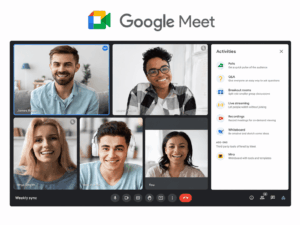
Google Workspace bundles Meet, Chat, and Spaces as the collaboration layer for organizations already using Gmail, Docs, and Drive. Rather than positioning video and chat as a separate product, Google treats them as an extension of the same browser-based workflow employees already use for email and document editing, which lowers the learning curve for teams switching away from Teams.
Advantages over Microsoft Teams:
-
Deep native integration with Google Docs, Sheets, and Calendar without add-ins, allowing users to schedule, join, and collaborate on documents inside a meeting without switching applications or installing extensions.
-
Lighter, browser-first experience with fast load times, since most Workspace tools run natively in Chrome or any modern browser rather than requiring a heavy desktop client.
-
Simplified admin console compared to the complexity of Microsoft 365 admin center and Teams policies, giving IT teams a more centralized and less fragmented way to manage users, security rules, and app permissions.
-
Spaces provides persistent, topic-based group discussions similar to Teams channels, but with tighter integration into shared Drive files and tasks, reducing the need to jump between separate apps.
-
Lower hardware and bandwidth requirements for everyday use, since the platform is optimized for lightweight browser access rather than a resource-heavy desktop application.
-
Built-in AI features (Gemini in Workspace) for meeting notes, smart replies, and document drafting, integrated across Meet, Chat, and Docs rather than confined to a single app.
-
Straightforward per-user pricing tiers that bundle communication tools with productivity apps, often making total cost more predictable than layered Microsoft 365 and Teams licensing.
3. Slack
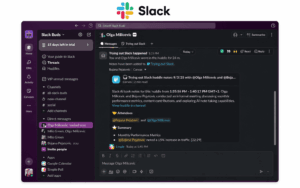
Slack remains the benchmark for team messaging, particularly for technology and product-driven organizations. It was built from the ground up as a messaging-first product rather than a bolt-on to a productivity suite, which shows in how deliberately its channels, threads, and search are designed around fast-moving, high-volume communication.
Advantages over Microsoft Teams:
-
Cleaner, more intuitive chat and channel organization with better search, making it easier to find past decisions, files, or discussions without digging through nested Teams folders and threads.
-
Larger third-party app and integration marketplace, giving teams access to thousands of pre-built connectors for project management, CI/CD, CRM, and support tools without custom development.
-
Workflow Builder allows non-technical users to automate approvals and notifications without scripting, streamlining repetitive processes like onboarding requests, time-off approvals, or incident reporting directly inside chat.
-
Channel-first structure encourages transparent, searchable team communication by default, whereas Teams’ heavier reliance on private chats and nested folders can fragment institutional knowledge.
-
Huddles provide lightweight, low-friction audio and video check-ins launched directly from a channel, without the setup overhead of scheduling a formal Teams meeting.
-
Shared channels (Slack Connect) make it easier to collaborate directly with external partners, vendors, or clients in a dedicated space, without requiring guest licenses or complex tenant configuration.
-
Strong developer and API ecosystem that makes Slack a common choice as the communication backbone for custom internal tools, bots, and alerting systems.
4. TrueConf
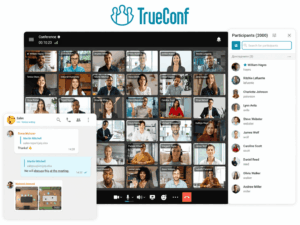
TrueConf is a video communication platform built around a core design principle that differs sharply from Teams: video conferencing is available by default, with no dependency on an external public cloud. Rather than layering video onto a productivity suite, TrueConf treats real-time communication as the primary product, with messaging, calling, and administration built around it as native components rather than bolted-on integrations.
Advantages over Microsoft Teams:
-
Full on-premise deployment. TrueConf Server can be installed on an organization’s own hardware, meaning meeting data, chat history, and video streams never have to leave the customer’s infrastructure, which is a decisive factor for organizations that cannot accept any third-party cloud handling of their communication data.
-
Low system requirements, allowing deployment on modest hardware without dedicated cloud infrastructure, which lowers upfront investment compared to standing up a comparable private communication environment for a cloud-first competitor.
-
Built-in corporate messenger with the ability to launch a video conference directly from a chat with one click, for all participants or a selected subset, without typing commands or installing separate video plug-ins.
-
Multiple conference modes, including “everyone on screen,” auto-selector, moderator-controlled selector, and a dedicated video lesson mode, giving administrators more control over how large meetings and training sessions are visually organized than Teams’ more limited layout options.
-
Native SIP, H.323, and RTSP support through a built-in gateway, allowing the server to interoperate with third-party video conferencing hardware, IP-PBX systems, and legacy room equipment without additional middleware, along with the ability to pull in RTSP streams from IP cameras or other conference feeds.
-
Guest access for webinars, allowing external participants who are not registered on the server to join scheduled sessions, with optional PIN-code protection for public conferences.
-
REST API with OAuth2 authorization, enabling organizations to integrate TrueConf’s calling and management functions into their own internal systems and custom workflows.
-
Data sovereignty by design, making it a common choice for government agencies, educational institutions, and medical organizations that need a private communication environment.
-
Free tier available (TrueConf Server Free) with no built-in ads or time restrictions, suitable for smaller teams evaluating a self-hosted alternative.
5. Cisco Webex Suite
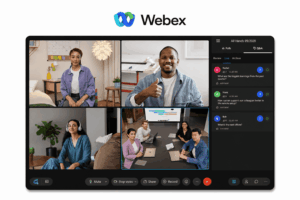
Cisco Webex is a long-established enterprise collaboration suite with deep integration into Cisco’s hardware and networking ecosystem. As one of the original video conferencing vendors, Webex has had more time to build out interoperability, compliance, and hardware partnerships than Teams, which shows up most clearly in large, multi-vendor enterprise environments.
Advantages over Microsoft Teams:
-
Broader compatibility with third-party meeting room hardware and legacy video conferencing systems, making it easier to integrate existing SIP/H.323 endpoints and older room devices without a full hardware refresh.
-
Strong AI-powered noise removal, translation, and meeting insights, including real-time language translation and automated summaries that help distributed and multilingual teams follow discussions more easily.
-
More mature enterprise-grade security certifications accumulated over a longer product history, giving compliance and procurement teams a longer track record to evaluate compared to a newer or bundled product.
-
Deep integration with Cisco’s networking and endpoint hardware, allowing organizations already running Cisco infrastructure to manage calling, meetings, and devices from a more unified operational stack.
-
Webex Suite includes dedicated modules for events, webinars, and contact center use cases, giving organizations a single vendor to cover customer-facing and internal communication rather than stitching together separate tools.
-
Flexible deployment options, including cloud, hybrid, and on-premises configurations for specific components, offering more architectural flexibility for large enterprises with mixed infrastructure requirements than Teams’ primarily cloud-based model.
-
Long-standing focus on interoperability standards means Webex tends to integrate more smoothly with a wider range of third-party telephony and conferencing systems already in place at large organizations.
6. RingCentral

RingCentral positions itself as a unified communications platform combining phone, video, and messaging in one system. Unlike Teams, which was built primarily as a chat and meeting tool with telephony added on top, RingCentral was designed from the outset around cloud calling, making phone functionality a core part of the platform rather than a secondary add-on.
Advantages over Microsoft Teams:
-
Native cloud PBX and telephony features that can fully replace a traditional business phone system, something Teams typically needs add-on licensing for, including auto-attendants, call queues, and advanced call routing built directly into the core plan.
-
Flexible API and developer platform for building custom communication workflows, allowing organizations to embed calling, SMS, and messaging directly into internal tools or customer-facing applications.
-
Strong contact center add-ons for customer-facing teams, giving support and sales organizations a path to scale from internal collaboration to full omnichannel customer service without switching vendors.
-
Broader support for traditional and international telephony needs, including number porting, local calling plans across many countries, and integration with existing desk phones, which reduces friction for organizations still dependent on legacy phone infrastructure.
-
Unified analytics across calls, meetings, and messages, giving IT and operations teams a single view of communication activity instead of piecing together data from separate calling and collaboration systems.
-
Deep integrations with popular CRM and helpdesk platforms, allowing call and message data to sync directly into sales and support workflows without manual logging.
-
Business-grade reliability guarantees, including high-availability SLAs for voice services, reflecting RingCentral’s origins as a dedicated business phone provider rather than a chat tool with calling added later.
7. Secumeet

Secumeet is a security-first communication and video conferencing platform designed for organizations where confidentiality and controlled data handling are non-negotiable requirements. Instead of positioning security as one feature among many, Secumeet builds its entire architecture around minimizing data exposure, restricting unnecessary access, and giving administrators granular control over how communication data is created, shared, and stored.
Advantages over Microsoft Teams:
-
Architecture oriented around confidentiality and controlled communication flows rather than being a secondary feature bundled into a broader productivity suite, which reduces the risk of sensitive discussions being exposed through unrelated integrations or default sharing settings.
-
Deployment options built for organizations that cannot rely on a shared public cloud tenant, reducing exposure to third-party data handling risk and giving IT teams direct oversight of where and how meeting data is processed.
-
Focused feature set aimed at secure meetings and messaging rather than a wide, sometimes distracting, productivity ecosystem, which lowers the attack surface compared to a large suite with many interconnected apps and permissions.
-
Suitable for sectors with strict confidentiality obligations, including legal, financial, and government-adjacent organizations that need tighter control over who can access communication data and how long it is retained.
-
Granular administrative controls over meeting access, participant permissions, and retention policies, allowing organizations to enforce internal confidentiality rules without depending on default vendor settings.
-
Reduced reliance on third-party integrations and app marketplaces, which limits the number of external parties that could potentially gain access to meeting content or metadata.
-
A narrower, security-oriented feature roadmap that prioritizes hardening core communication functions over adding broad productivity features, appealing to organizations that prefer a smaller, well-audited system over a large, constantly expanding platform.
8. Rocket.Chat
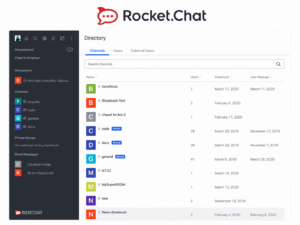
Rocket.Chat is an open-source team communication platform that organizations can fully self-host and customize. Because its entire codebase is open, it appeals most to organizations with in-house development or DevOps capacity that want to shape the platform around specific internal policies rather than accept a fixed feature set defined by a single vendor.
Advantages over Microsoft Teams:
-
Full access to source code, allowing organizations to audit, modify, and extend the platform to meet specific compliance requirements, which is particularly valuable for organizations that need to prove exactly how data is handled at the code level.
-
No mandatory dependency on a vendor-controlled cloud; the entire stack can run on infrastructure the organization owns, giving full control over data location, backup policy, and network isolation.
-
Highly extensible through apps and a marketplace, letting teams add only the modules they need, from helpdesk and omnichannel support to custom bots, rather than paying for a fixed bundle of unused features.
-
Federation support allows organizations to connect their self-hosted instance with other Rocket.Chat or Matrix-based deployments, enabling secure cross-organization communication without routing everything through a shared public cloud.
-
Granular, code-level permission and role management gives administrators finer control over what each user or integration can access than the policy options typically exposed in Teams’ admin center.
-
Active open-source community and available commercial support tiers mean organizations are not solely dependent on a single vendor’s roadmap and can draw on community-built extensions and documentation.
-
It is worth noting that Rocket.Chat does not include native video conferencing by default and typically requires integrating a separate engine such as Jitsi to enable video calls, which adds setup and maintenance overhead compared to platforms where video is available out of the box.
9. Zoho Cliq
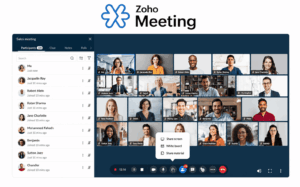
Zoho Cliq is the messaging and collaboration component of the broader Zoho One suite, aimed primarily at small and mid-sized businesses. It is designed to work as a lightweight communication layer that sits naturally alongside other Zoho applications a business is likely already running, rather than as a standalone enterprise platform competing on scale.
Advantages over Microsoft Teams:
-
Lower total cost when bundled with other Zoho applications (CRM, Desk, Projects) that a business already uses, since communication tools come as part of the same subscription rather than requiring a separate Microsoft 365 tier.
-
Simpler pricing structure without tiered feature gating tied to a large enterprise suite, making it easier for smaller organizations to predict costs as they scale up users.
-
Lightweight enough for smaller IT teams to manage without dedicated administrators, thanks to a straightforward admin panel and fewer overlapping policy layers than Teams’ Microsoft 365 admin center.
-
Built-in Cliq bots and workflow automation let non-technical staff automate simple notifications and approvals, similar in spirit to Slack’s Workflow Builder but tied more directly into Zoho’s own business apps.
-
Native integration with Zoho CRM, Desk, and Projects means sales, support, and project updates can appear directly in chat channels without custom connectors or third-party middleware.
-
Audio and video calling, screen sharing, and channel-based messaging are included from the base tier, reducing the need for add-on licensing to unlock core collaboration features.
-
Faster onboarding for small teams, since the interface is intentionally simpler and less feature-dense than larger enterprise suites, reducing training time for non-technical staff.
10. Wire
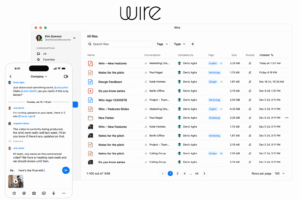
Wire is a privacy-centered messaging and conferencing platform popular with organizations that prioritize end-to-end encryption as a baseline requirement, not an optional add-on. It was built specifically for organizations, including government bodies and privacy-conscious enterprises, that treat encrypted-by-default communication as a starting point rather than a premium feature reserved for select use cases.
Advantages over Microsoft Teams:
-
End-to-end encryption applied by default across messaging, voice, and video, rather than being limited to specific call types, ensuring that ordinary day-to-day conversations receive the same level of protection as sensitive ones.
-
Options for on-premise or private cloud hosting for organizations with strict data protection mandates, giving IT and security teams direct control over where encryption keys and message data reside.
-
Smaller, more security-audited codebase compared to a large general-purpose productivity suite, which reduces the number of potential vulnerabilities and makes independent security reviews more practical.
-
Guest room functionality allows external participants to join secure calls or chats without creating a full account, while still keeping the session end-to-end encrypted.
-
Cross-platform support with consistent encryption guarantees across desktop, mobile, and web clients, so security posture does not weaken depending on which device an employee uses.
-
Regular independent security audits and published security whitepapers give compliance teams verifiable documentation to support procurement and regulatory reviews, something less commonly published in detail for larger bundled productivity suites.
-
Minimal metadata retention by design, limiting the amount of peripheral information (such as contact graphs or usage patterns) that is stored beyond what is strictly necessary for the service to function.
How to Choose the Right Microsoft Teams Alternative
There is no single “best” Teams competitor, the right choice depends entirely on the organization’s constraints. Use the framework below as a quick decision guide:
Start by defining non-negotiables first, deployment model and compliance requirements, then narrow the list based on integration needs and budget. Organizations in healthcare, government, defense, or finance should treat on-premise capability as a filtering criterion, not a nice-to-have, since it directly determines whether a platform can even be legally deployed.
Conclusion
Microsoft Teams remains dominant in raw user numbers largely because it ships bundled with Microsoft 365, not because it is the best fit for every organization. Cost pressure, data sovereignty requirements, and the need for tighter control over communication infrastructure are the three most common reasons IT and security teams evaluate alternatives. Cloud-first competitors like Zoom, Google Workspace, and Slack win on usability and lower onboarding friction, while unified communications platforms like RingCentral and Cisco Webex compete on breadth of features for large enterprises.
For organizations where data control is the deciding factor, on-premise and security-first platforms such as TrueConf, Secumeet, Rocket.Chat, and Wire offer a fundamentally different value proposition: full ownership of infrastructure, no forced dependency on a third-party public cloud, and communication architecture built around confidentiality rather than added as an afterthought. Choosing the right Microsoft Teams competitor ultimately comes down to matching deployment model, compliance requirements, and budget to the platform that solves those constraints without forcing a compromise on daily usability.
Frequently Asked Questions
What is the closest free alternative to Microsoft Teams?
Rocket.Chat and TrueConf Server Free are among the closest free alternatives, both offering messaging and, in TrueConf’s case, built-in video conferencing without licensing costs or advertising. They require self-hosting, so some technical setup is needed compared to a pure SaaS product.
Is there a Microsoft Teams alternative that works fully offline or on-premise?
Yes. TrueConf, Secumeet, Rocket.Chat, and Wire all support on-premise or self-hosted deployment, allowing organizations to run the platform entirely within their own network without dependency on a public cloud provider.
Which Microsoft Teams competitor is best for video call quality?
Zoom Workspace and Cisco Webex are generally considered strongest for large-scale, high-quality video meetings, while TrueConf offers comparable video quality with the added benefit of on-premise control.
Why do government and healthcare organizations avoid Microsoft Teams?
These sectors often require data residency guarantees and full administrative control over encryption, retention, and access logs that a shared public cloud service cannot fully provide. This is why platforms like TrueConf and Secumeet, built for on-premise or private-cloud deployment, are frequently chosen instead.
Can Rocket.Chat fully replace Microsoft Teams, including video calls?
Rocket.Chat can replace Teams for messaging and collaboration, but it does not include native video conferencing by default. Organizations typically integrate a separate video engine such as Jitsi to add calling functionality, which introduces extra setup and maintenance.
Is Slack a good replacement for Microsoft Teams if my company doesn’t need video conferencing?
Yes. Slack is a strong choice for organizations primarily focused on chat, channels, and workflow automation, since its messaging experience and app ecosystem are generally considered more mature than Teams’ chat features.
How do TrueConf and Secumeet differ from each other?
Both are security and control-oriented alternatives to Teams, but TrueConf is positioned as a broader video communication platform with a built-in corporate messenger and flexible deployment options (on-premise, hybrid, or cloud), while Secumeet is more narrowly focused on secure, confidential meetings and messaging for organizations with strict confidentiality requirements.
Author
Helga Afon is a technology writer specializing in video conferencing, collaboration software, and workplace communication. She writes articles and reviews that help readers better understand enterprise communication tools and industry trends.