
Replacing Skype for Business is not the same as choosing a new video conferencing app.
Skype for Business may still be responsible for several different workloads inside an organization:
-
instant messaging;
-
presence;
-
one-to-one calls;
-
video meetings;
-
Enterprise Voice;
-
PSTN connectivity;
-
federation;
-
conference room systems;
-
corporate directory integration.
A replacement that handles meetings well may still fail as a replacement for telephony. A modern cloud collaboration suite may reproduce chat and presence while forcing an organization to redesign its existing SIP or PBX environment.
The useful migration sequence is:
current workload → what must be preserved → deployment constraints → interoperability → replacement
The central rule is simple:
Replace the workload, not the product name.
Key Findings
-
Skype for Business Online and Skype for Business Server have different lifecycle histories. Skype for Business Online retired in 2021, while the server product continued afterward.
-
Skype for Business Server 2015 and 2019 reached end of support in October 2025.
-
Microsoft continues an on-premises path through Skype for Business Server Subscription Edition.
-
Microsoft Teams is the official cloud migration path, but it is not automatically the right architecture for every former Skype for Business Server deployment.
-
Organizations should identify which Skype workloads they actually use before comparing alternatives.
-
Enterprise Voice can be the hardest workload to replace because it may involve phone numbers, trunks, SBCs, emergency calling, dial plans, and existing PBX infrastructure.
-
Existing SIP/H.323 room systems can materially change the shortlist.
-
TrueConf is particularly relevant when an organization wants to preserve a customer-operated UC model.
-
Secumeet is relevant when Skype for Business is mainly being replaced as a corporate messaging, video calling, and collaboration environment rather than as a complex enterprise telephony system.
-
A feature-equivalent product is not necessarily a migration-compatible product.
-
Some organizations are better served by splitting Skype workloads across several systems instead of forcing one platform to replace everything.
Skype for Business Online vs Server: What Actually Ended?
The phrase “Skype for Business reached end of life” hides several different Microsoft products.
Skype for Business Online
Skype for Business Online was Microsoft’s cloud-hosted Skype for Business service.
It retired on July 31, 2021.
For organizations using Microsoft cloud services, Microsoft Teams became the strategic successor.
Skype for Business Server 2015 and 2019
On-premises Skype for Business Server remained available after Skype for Business Online disappeared.
Skype for Business Server 2019 continued receiving support until October 14, 2025.
Organizations still operating older Server deployments therefore face a different migration problem from former Skype for Business Online customers.
Skype for Business Server Subscription Edition
Microsoft continues the on-premises product line through Skype for Business Server Subscription Edition.
That means an organization running Skype for Business Server does not automatically have only one choice:
migrate everything to Teams.
There are two broader directions:
-
Move to another communication platform.
-
Remain on Microsoft’s supported on-premises Skype for Business architecture.
Resolve this question before evaluating competing vendors.
Do You Actually Need a Skype for Business Alternative?
Not every organization searching for a replacement has the same problem.
You Probably Need a Replacement If
-
you still operate an unsupported Skype for Business Server version;
-
Microsoft cloud is not the preferred architecture;
-
your organization wants a different UC ecosystem;
-
existing telephony requirements are changing;
-
the current environment has become difficult to maintain;
-
employees need broader persistent collaboration.
You May Not Need a Different Vendor If
Your organization:
-
wants to remain in the Microsoft ecosystem;
-
can move to Teams;
-
or deliberately wants to remain on supported Skype for Business Server infrastructure.
For those organizations, the real project may be an upgrade or Microsoft migration, not a vendor replacement.
Start With the Workloads You Need to Replace
Skype for Business was not one application workload.
Before shortlisting vendors, identify exactly what employees use today.
Do not shortlist products until this map exists.
A company using Skype only for:
presence + chat + meetings
has a much easier migration than an organization using:
presence + Enterprise Voice + SIP trunks + room systems + federation
Skype for Business Replacement Matrix
The table is a routing mechanism rather than a universal ranking.
The Official Microsoft Migration Path: Microsoft Teams
Microsoft Teams is the natural starting point for most organizations already using Microsoft 365.
It replaces several Skype for Business workloads:
-
messaging;
-
presence;
-
calls;
-
meetings;
-
external collaboration;
-
telephony through Teams Phone.
It also adds collaboration that Skype for Business did not provide at the same depth:
-
channels;
-
SharePoint;
-
OneDrive;
-
Microsoft 365 applications;
-
workflow integrations.
Why Teams Is the Easiest Microsoft Path
Organizations already using:
-
Microsoft Entra ID;
-
Exchange;
-
SharePoint;
-
OneDrive;
-
Microsoft 365
have much of the surrounding infrastructure in place.
The migration is therefore not simply:
Skype client → Teams client
It can become:
legacy UC → Microsoft 365 communication workspace
Enterprise Voice
Organizations using Skype for Business Enterprise Voice must separately determine how telephone connectivity will work in Teams.
Possible approaches include:
-
Microsoft-provided calling;
-
Operator Connect;
-
Direct Routing through an SBC;
-
combinations of existing telephony infrastructure and Teams Phone.
This decision should happen early because telephony can be more difficult to migrate than messaging or meetings.
When Microsoft Teams Is Not the Right Replacement
Microsoft’s cloud migration path is straightforward from a product strategy perspective.
An organization’s infrastructure requirements may be different.
Consider alternatives when the organization requires:
Customer-Operated Infrastructure
Teams does not reproduce the traditional Skype for Business Server architecture where the organization operates the complete UC server itself.
Private Network Operation
Organizations operating:
-
isolated networks;
-
restricted LANs;
-
disconnected facilities
need a platform designed for those environments.
Different Telephony Architecture
Existing:
-
SIP trunks;
-
PBXs;
-
SBCs;
-
room systems
may make another UC platform a better migration destination.
A Smaller Communication Stack
Some organizations do not need the full breadth of Microsoft 365 collaboration.
They may prefer a narrower environment built around:
-
messaging;
-
calling;
-
meetings;
-
telephony.
Best Skype for Business Alternatives by Migration Goal
1. TrueConf
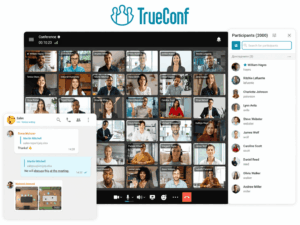
Best for: Organizations that want to replace Skype for Business while preserving a customer-operated unified communications model.
TrueConf is particularly relevant to former Skype for Business Server environments because it combines several communication workloads inside a server operated by the organization.
These include:
-
personal messaging;
-
group chats;
-
channels;
-
presence-oriented communication;
-
one-to-one video calls;
-
group video conferences;
-
content sharing;
-
user administration;
-
SIP/H.323 interoperability.
TrueConf Server can operate within LAN and VPN environments without requiring public Internet connectivity for core communication.
Current server editions support conferences with up to 2,000 participants, depending on licensing and deployment.
Why It Fits Skype for Business Migration
The architectural transition is closer to:
on-premises UC → on-premises UC
than:
on-premises UC → SaaS workspace
That distinction matters when an organization wants to preserve:
-
server ownership;
-
network boundaries;
-
corporate directory integration;
-
telephony connectivity;
-
existing conference-room equipment.
SIP and H.323
TrueConf includes built-in SIP/H.323 interoperability.
This is particularly useful when Skype for Business exists alongside:
-
PBX systems;
-
SIP endpoints;
-
conference rooms;
-
legacy video infrastructure.
Trade-off
The organization continues to carry responsibility for:
-
deployment;
-
updates;
-
backups;
-
monitoring;
-
availability;
-
capacity planning.
Do Not Choose It When
The organization wants to eliminate communication server administration entirely and move to a vendor-managed SaaS model.
2. Secumeet
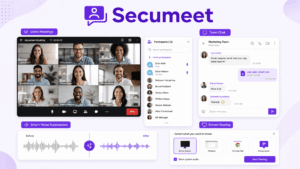
Best for: Organizations that primarily need to replace Skype for Business messaging, video calls, meetings, and collaboration.
Secumeet combines persistent communication with video meetings and collaborative functions.
Current product capabilities include:
-
personal chats;
-
group chats;
-
video meetings;
-
screen sharing;
-
presentations;
-
content collaboration;
-
remote assistance.
The platform supports meetings with up to 1,500 participants and allows users to move from an ongoing conversation into live video communication.
Why It Fits Skype for Business Migration
Secumeet is relevant when Skype for Business is mainly being used for:
messaging → group communication → video calls → meetings
This creates a different migration problem from replacing a large Enterprise Voice deployment.
For example, an organization that mainly uses Skype for Business for:
-
employee messaging;
-
internal group conversations;
-
video calls;
-
meetings;
-
screen sharing
does not necessarily need to make PBX replacement the center of the project.
Where Additional Evaluation Is Needed
Before treating Secumeet as a complete replacement for a complex Skype for Business deployment, verify requirements around:
-
Enterprise Voice;
-
PSTN calling;
-
SIP trunks;
-
SBCs;
-
existing PBX systems;
-
external federation;
-
SIP/H.323 room systems;
-
directory integration;
-
existing communication policies.
These capabilities matter when they are part of the current Skype environment, but they should not be inferred from messaging and meeting functionality alone.
Trade-off
Secumeet is a more focused communication option than broader UC environments such as Teams, Webex, or RingCentral.
That can be an advantage when the organization primarily needs messaging and video.
It becomes a limitation if the migration also needs to reproduce complex enterprise telephony.
Do Not Choose It When
The project requires a proven one-for-one replacement for a large Skype for Business Enterprise Voice environment and the required PBX, PSTN, SIP, federation, and room-system capabilities have not been separately verified.
3. Microsoft Teams
Best for: Organizations moving from Skype for Business into Microsoft 365.
Teams is Microsoft’s direct strategic cloud successor to Skype for Business.
It provides:
-
chat;
-
presence;
-
calling;
-
meetings;
-
Teams Phone;
-
collaboration;
-
Microsoft 365 integration.
Why It Fits
Microsoft’s migration tooling, hybrid connectivity, and coexistence models were specifically designed around the transition from Skype for Business to Teams.
Trade-off
The destination is cloud-centric rather than a direct successor to a fully customer-operated Skype for Business Server deployment.
Do Not Choose It When
Customer-hosted communication infrastructure is a hard requirement.
4. Cisco Webex

Best for: Enterprises that need unified communications, business calling, meetings, and strong integration with Cisco infrastructure.
Webex can replace several Skype workloads through:
-
messaging;
-
meetings;
-
calling;
-
room systems;
-
enterprise administration.
Why It Fits
Organizations already using Cisco technologies may be able to consolidate:
calling + meetings + room hardware + messaging
inside one ecosystem.
Hybrid Architecture
Webex provides hybrid components where selected media processing or telephony infrastructure can remain inside the customer environment.
This should not be confused with a completely customer-hosted version of the entire Webex cloud service.
Trade-off
The Cisco collaboration architecture can become complex when the organization is not already invested in Cisco infrastructure.
5. RingCentral

Best for: Organizations where replacing Skype for Business telephony is as important as replacing meetings.
RingCentral combines:
-
business phone;
-
messaging;
-
video;
-
SMS;
-
administration.
Why It Fits
For organizations using Skype heavily as a business phone system, a telephony-first UC platform may make more sense than selecting a meeting product and solving voice later.
Trade-off
RingCentral represents a cloud migration rather than preservation of the Skype for Business Server deployment model.
Do Not Choose It When
Customer-operated core communications infrastructure is required.
6. Zoom Workplace

Best for: Organizations prioritizing external meetings and low-friction user adoption.
Zoom Workplace now covers more than video meetings.
Its communication environment includes:
-
meetings;
-
Team Chat;
-
Zoom Phone;
-
collaboration functionality.
This allows it to replace more Skype workloads than a meeting-only service.
Why It Fits
Zoom is especially relevant when the former Skype environment is heavily used for:
-
customer calls;
-
partner meetings;
-
external collaboration;
-
ad hoc video conferencing.
Telephony
Zoom Phone provides a separate migration route for organizations also replacing Enterprise Voice.
Architecture Distinction
Zoom can localize selected parts of meeting media infrastructure through hybrid deployment components.
That is not equivalent to running a complete independent Zoom communication control plane inside customer infrastructure.
Trade-off
Organizations looking for a direct on-premises successor to Skype for Business Server should evaluate other architectures first.
7. Skype for Business Server Subscription Edition
Best for: Organizations that still require Microsoft on-premises UC and do not yet want to migrate all workloads to another platform.
This is not a competing vendor.
It is an important migration path.
An organization operating an unsupported Skype for Business Server version can evaluate whether moving to the supported Subscription Edition is preferable to replacing the architecture immediately.
Why It Fits
It can reduce the amount of change required in the short term.
This may matter when the organization has:
-
complex telephony;
-
custom integrations;
-
extensive policies;
-
migration dependencies;
-
regulatory constraints.
Trade-off
It continues the Skype for Business architecture rather than replacing it with a different communications model.
For some organizations, that delays rather than eliminates the broader modernization project.
8. Mattermost
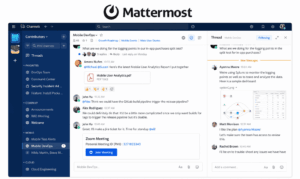
Best for: Organizations primarily replacing internal messaging and collaboration rather than the complete Skype UC stack.
Mattermost focuses on:
-
persistent messaging;
-
channels;
-
technical collaboration;
-
workflows.
It should not be treated as a one-for-one Skype for Business replacement when Enterprise Voice or traditional UC functionality is required.
Why It Fits
Some organizations use Skype for Business primarily for:
-
internal messaging;
-
team communication;
-
basic presence-style workflows.
For that narrower requirement, a messaging-oriented platform can be more appropriate than a full UC suite.
Trade-off
Telephony and broader meeting infrastructure may require another system.
9. Rocket.Chat
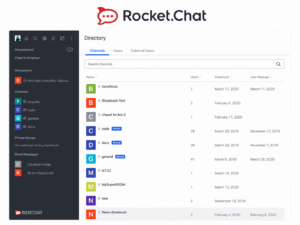
Best for: Organizations that want a customer-controlled messaging environment and are willing to separate messaging from other Skype workloads.
Rocket.Chat illustrates why a Skype migration does not always require one universal replacement.
It can address:
-
persistent messaging;
-
group channels;
-
team collaboration.
Other workloads, such as enterprise telephony, may remain in another system.
Why It Fits
A split-stack architecture can make sense when an organization wants specialized products for:
-
messaging;
-
telephony;
-
meetings.
Trade-off
Rocket.Chat is not a direct replacement for every Skype for Business capability.
Feature Parity Is Not Migration Compatibility
A product can advertise:
-
messaging;
-
video;
-
presence;
-
calling
and still be difficult to migrate to.
Migration compatibility asks different questions:
-
Can existing phone numbers be preserved?
-
What happens to SIP trunks?
-
Can current SBCs remain?
-
Can room endpoints connect?
-
How are identities mapped?
-
What happens to federation?
-
Can existing dialing patterns be retained?
-
What happens to old meeting links?
-
Which policies need to be recreated?
This distinction matters:
Feature parity describes the destination. Migration compatibility describes the path to get there.
Both should influence the shortlist.
Replacing Skype for Business Enterprise Voice
Enterprise Voice deserves a separate migration workstream.
Do not treat it as one row in a general meeting software comparison.
Start by documenting the current voice environment.
Inventory
Record:
-
telephone numbers;
-
extensions;
-
SIP trunks;
-
SBCs;
-
emergency calling;
-
call queues;
-
auto attendants;
-
voicemail;
-
contact center connections;
-
analog devices;
-
gateways.
Then choose one of three broad migration models.
Model 1: Move Telephony to Cloud UC
Examples include:
-
Teams Phone;
-
Webex Calling;
-
RingCentral;
-
Zoom Phone.
This reduces dependence on customer-operated PBX infrastructure.
Model 2: Keep Existing PSTN or SBC Infrastructure
Some platforms can integrate with existing telephony through:
-
SIP;
-
SBCs;
-
Direct Routing;
-
trunks.
This can reduce migration scope.
Model 3: Keep Telephony Separate
The company can replace:
-
chat;
-
meetings;
-
collaboration
while continuing to operate another PBX or voice platform.
This can be preferable to forcing one vendor to handle every communication workload.
SIP, SBC, and Existing PBX Infrastructure
Skype for Business often sits inside a larger communications environment.
Before replacing it, document:
-
SIP trunks;
-
SBC configuration;
-
PSTN gateways;
-
PBX integrations;
-
dial plans;
-
extension ranges.
A vendor that supports modern video conferencing but does not fit this topology may create a much larger migration project than expected.
Teams
Teams can retain existing telephony connectivity through architectures such as Direct Routing.
TrueConf
TrueConf provides SIP interoperability and can connect with existing telephony and conferencing infrastructure.
Webex
Cisco provides telephony and interoperability options across its broader collaboration portfolio.
The comparison therefore depends on the existing voice topology, not on a generic telephony: yes/no field.
Replacing Existing Room Systems
Many Skype for Business environments include meeting-room infrastructure.
Inventory:
-
room systems;
-
SIP endpoints;
-
H.323 endpoints;
-
cameras;
-
microphones;
-
displays;
-
room controllers.
Do not assume that replacing desktop software requires replacing every room.
Evaluate whether the new platform supports:
-
existing standards;
-
gateways;
-
native room products;
-
certified third-party hardware.
Hardware replacement can become one of the largest hidden migration costs.
Federation and External Communication
Skype for Business federation allowed employees in different organizations to communicate across organizational boundaries.
If federation is important today, test it explicitly.
Ask:
-
Can users find external contacts?
-
Can they message another organization?
-
Can external users see presence?
-
Is external communication guest-based or federated?
-
What administrative controls exist?
-
Can relationships be restricted by domain?
A guest meeting invitation and organizational federation are not the same workflow.
Cloud vs Customer-Hosted Skype Replacement
The architecture should follow organizational constraints rather than assumptions about which deployment model is more modern.
One Platform vs Split Workloads
A frequent migration mistake is assuming that because Skype for Business covered several functions, its replacement must also be one product.
That is not always necessary.
Consider an organization using Skype for:
-
phone;
-
chat;
-
meetings.
It has two broad choices.
Single-Platform Migration
One UC suite handles all three.
Advantages:
-
fewer vendors;
-
one identity environment;
-
simpler user experience.
Split-Workload Migration
For example:
messaging platform + meeting platform + existing PBX
Advantages can include:
-
better fit for each workload;
-
smaller migration scope;
-
preservation of existing infrastructure.
The disadvantage is additional integration and administration.
The correct choice depends on whether consolidation or specialization creates more value.
What Will Not Necessarily Migrate Automatically?
Before signing with a replacement vendor, identify what needs to be recreated.
Potential migration objects include:
-
users;
-
contact lists;
-
groups;
-
policies;
-
phone numbers;
-
dial plans;
-
call queues;
-
meeting rooms;
-
SIP trunks;
-
federation relationships;
-
recordings;
-
chat history;
-
compliance archives;
-
integrations;
-
room devices.
Not every product provides a direct migration path for every object.
This is another reason to run the migration project around workloads and dependencies rather than feature checkboxes.
How to Pilot a Skype for Business Replacement
Do not start with an organization-wide rollout.
Test the actual Skype workflows.
Test 1: Internal Messaging
Verify:
-
personal chat;
-
group chat;
-
presence;
-
file sharing;
-
search.
Test 2: Chat to Video
This is especially important when evaluating platforms such as TrueConf, Secumeet, and Teams.
Test:
message → video call → group meeting → return to conversation
Check whether users can move naturally between asynchronous and real-time communication.
Test 3: Internal Meeting
Run a normal departmental meeting.
Test:
-
invitations;
-
screen sharing;
-
participant controls;
-
recording.
Test 4: External Meeting
Invite someone outside the organization.
Measure:
-
account requirements;
-
installation requirements;
-
browser joining;
-
time to join.
Test 5: Telephony
If Enterprise Voice is being replaced, test:
-
internal extension;
-
outbound PSTN call;
-
inbound PSTN call;
-
transfer;
-
voicemail;
-
call queues where applicable.
Test 6: Existing Room
Connect an existing meeting room or SIP endpoint.
Do this before committing to hardware replacement.
Test 7: Directory and Identity
Verify:
-
directory synchronization;
-
user provisioning;
-
SSO;
-
offboarding.
Test 8: Failure Scenario
Test what happens when:
-
Internet connectivity fails;
-
a communication server fails;
-
the user changes device;
-
external communication becomes unavailable.
The scenario should match the architecture being evaluated.
Run the Systems in Parallel
For larger deployments, a limited parallel period can reduce migration risk.
A practical sequence is:
-
Inventory current Skype workloads.
-
Choose the target architecture.
-
Select a pilot department.
-
Integrate identity, calendar, and telephony.
-
Test room systems and external communication.
-
Prepare short user instructions.
-
Run Skype for Business and the replacement in parallel for a limited period.
-
Confirm each critical workload.
-
Migrate remaining users.
-
Retire the old environment only after verification.
The coexistence period should have a defined end state.
Running two systems indefinitely creates:
-
duplicate cost;
-
user confusion;
-
fragmented communication history.
Common Skype for Business Migration Mistakes
Comparing Only Video Meeting Features
Skype for Business may be providing far more than conferencing.
Assuming Teams Is Mandatory
Teams is Microsoft’s primary cloud successor, but organizations with different infrastructure requirements still have alternatives.
Assuming Skype for Business No Longer Exists in Any Form
Skype for Business Online retired in 2021 and Server 2019 support ended in 2025, but Microsoft continues an on-premises path through Skype for Business Server Subscription Edition.
Ignoring Enterprise Voice Until Late in the Project
Telephony can be the most complex part of the migration.
Address it early.
Assuming Every Alternative Needs Enterprise Voice
The opposite mistake also occurs.
If Skype is mainly used for:
-
messaging;
-
video;
-
screen sharing;
-
meetings,
then a focused communication platform such as Secumeet may deserve evaluation even if the organization does not require a complete PBX replacement.
Replacing Existing Room Hardware Without Testing It
Check interoperability before budgeting for a complete hardware refresh.
Confusing Feature Parity With Migration Compatibility
A product can provide the same headline functions while requiring substantial infrastructure redesign.
Migrating Every Workload at Once
Some organizations reduce risk by moving:
-
messaging first;
-
meetings second;
-
telephony later.
Choosing by Security Claims Alone
Security is important, but a secure platform that cannot support required telephony, directory, federation, or room workflows is not a complete replacement.
Choosing by License Price Alone
Migration cost can also include:
-
SBCs;
-
gateways;
-
room hardware;
-
integration;
-
professional services;
-
employee training;
-
parallel operation.
Decision Matrix
Migration Checklist
Before replacing Skype for Business, confirm:
-
Which Skype for Business product is currently deployed?
-
Is the current version still supported?
-
Which workloads are actively used?
-
Is Enterprise Voice enabled?
-
Which phone numbers need to migrate?
-
Which SIP trunks and SBCs exist?
-
Which room systems need to remain?
-
Is federation used?
-
Which directories and identity systems are connected?
-
Is customer-hosted deployment required?
-
Can communication depend on public Internet connectivity?
-
Which recordings or archives must be preserved?
-
Which third-party integrations depend on Skype?
-
Can the replacement coexist with Skype during migration?
-
What is the rollback plan if the pilot fails?
If these questions are answered first, the vendor shortlist becomes much smaller.
Frequently Asked Questions
What is the best Skype for Business alternative?
There is no universal replacement because Skype for Business may be providing several different workloads.
Microsoft Teams is the natural cloud migration option for Microsoft 365 organizations.
TrueConf is relevant when the organization wants to preserve a customer-operated UC architecture.
Secumeet is relevant when messaging, video calls, meetings, and collaboration are the main workloads being replaced.
Webex, RingCentral, and Zoom address different combinations of cloud calling, meetings, messaging, and telephony.
Did Skype for Business shut down?
Skype for Business Online retired in July 2021.
Skype for Business Server continued afterward. Skype for Business Server 2015 and 2019 reached end of support in October 2025.
Microsoft now provides Skype for Business Server Subscription Edition for organizations continuing with its on-premises UC platform.
Is Microsoft Teams replacing Skype for Business?
Teams is Microsoft’s strategic cloud successor to Skype for Business and the primary migration destination for Microsoft 365 customers.
It is not the only possible replacement architecture for organizations that previously operated Skype for Business Server.
Is there an on-premises alternative to Skype for Business?
Yes.
Organizations can evaluate customer-hosted UC platforms such as TrueConf.
Organizations that specifically want to remain with Microsoft can also evaluate Skype for Business Server Subscription Edition instead of immediately moving to another vendor.
Can TrueConf replace Skype for Business?
TrueConf can replace many common Skype for Business workloads, including:
-
messaging;
-
video calls;
-
group conferencing;
-
corporate communication;
-
SIP/H.323 interoperability;
-
customer-operated communication infrastructure.
Whether it is a complete replacement depends on the organization’s existing telephony, federation, integration, and workflow requirements.
Can Secumeet replace Skype for Business?
It can be considered when Skype for Business is primarily being used for:
-
personal messaging;
-
video calls;
-
meetings;
-
screen sharing;
-
collaboration.
Organizations using Skype for Business as a complex Enterprise Voice or PBX environment should separately verify telephony, SIP, PSTN, federation, and room-system requirements before treating Secumeet as a full replacement.
Can Teams replace Skype for Business Enterprise Voice?
Teams Phone provides Microsoft’s current cloud telephony environment.
Organizations can connect PSTN services using several architectures, including Direct Routing where existing SBC and carrier infrastructure needs to remain involved.
Telephony migration should be planned separately from meetings and messaging.
Do I need to replace existing conference room equipment?
Not necessarily.
Inventory the equipment first and determine whether the replacement platform can connect through:
-
SIP;
-
H.323;
-
gateways;
-
certified room integrations.
Hardware should be replaced because it is incompatible or obsolete, not simply because the communication software changed.
Should we migrate everything from Skype for Business at once?
Not necessarily.
Large organizations can migrate workloads in stages.
For example:
messaging → meetings → telephony
or migrate one department at a time before organization-wide deployment.
Is Zoom an on-premises replacement for Skype for Business Server?
Not in the same architectural sense as a fully customer-operated UC server.
Zoom can localize selected components of meeting processing, but the wider Zoom service still depends on the vendor’s cloud environment.
Organizations specifically replacing a fully self-hosted Skype for Business Server should evaluate that distinction carefully.
Can different tools replace different Skype workloads?
Yes.
For example, an organization can keep an existing PBX while replacing:
-
Skype messaging with Secumeet, Mattermost, or Rocket.Chat;
-
meetings with another video platform;
-
telephony at a later stage.
A split architecture creates more integration work but can reduce migration risk when different workloads have different requirements.
What is the biggest risk in a Skype for Business migration?
Replacing the application before understanding the workloads.
A migration can appear successful because chat and video work while later exposing gaps in:
-
PSTN;
-
room systems;
-
federation;
-
identity;
-
external communication.
The inventory should therefore come before vendor selection.
Conclusion
A Skype for Business replacement should not be selected from a generic list of video conferencing products.
Skype for Business may represent several different systems inside the organization:
messaging + presence + meetings + voice + PSTN + federation + rooms
Those workloads do not necessarily need to move in the same way.
For Microsoft 365 organizations that want a cloud destination, Teams remains the most direct migration path.
For organizations that want to preserve a customer-operated unified communications architecture, TrueConf provides a different path built around an organization-managed server, persistent communication, video, and SIP/H.323 interoperability.
Secumeet is another option when the Skype for Business workloads being replaced are primarily corporate messaging, video calls, group meetings, and collaboration rather than a complex Enterprise Voice environment.
Cisco Webex, RingCentral, and Zoom Workplace address different cloud UC, meeting, and telephony requirements.
Mattermost and Rocket.Chat demonstrate another migration strategy: replace only the messaging workload instead of requiring one platform to reproduce every function of Skype for Business.
And for some organizations, the right 2026 decision may be to remain temporarily within Microsoft’s server architecture through Skype for Business Server Subscription Edition while preparing a broader migration.
The most useful question is therefore not:
Which product looks most like Skype for Business?
It is:
Which Skype for Business workloads do we need to preserve, and which architecture can replace them with the least disruption?
That produces the decision sequence:
current workloads → dependencies → target architecture → migration compatibility → platform
Author
Helga Afon is a technology writer specializing in video conferencing, collaboration software, and workplace communication. She writes articles and reviews that help readers better understand enterprise communication tools and industry trends.