
A company group chat, or business group chat, gives employees a shared space for ongoing communication, files, updates, decisions, and day-to-day coordination.
For a small team, almost any reliable messenger may be enough. For a larger company, the requirements change quickly. The platform may need structured channels, searchable history, guest access, directory integration, centralized administration, video meetings, retention controls, and a deployment model that matches internal IT policies.
This guide compares five business group chat platforms built for different communication models, from cloud-first collaboration to private and self-hosted corporate environments.
Company Group Chat Solutions Compared
There is no universal best business group chat. Slack and Microsoft Teams work naturally in cloud-centered environments, while TrueConf, Secumeet, and Rocket.Chat address different requirements around customer-controlled infrastructure.
The useful question is not which product has the most checkmarks. It is how the company communicates, which systems chat must connect to, and how much control it needs over the platform itself.
1. TrueConf — Best for Chat Combined With Enterprise Video
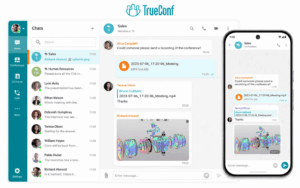
TrueConf approaches company group chat as part of a broader communications platform rather than as a standalone messenger.
Employees can use personal and group chats, exchange files, search previous messages, mention colleagues, and move from a text conversation into a call or video conference without switching to another application.
This matters when video is not an occasional add-on but part of the daily communication workflow.
Typical capabilities include:
-
personal and group chats;
-
persistent message history;
-
file sharing;
-
mentions and reactions;
-
search;
-
integrated video calls and conferences;
-
LDAP and Active Directory integration;
-
customer-controlled deployment options.
The main reason to choose TrueConf is the connection between business messaging and enterprise video infrastructure.
It is particularly relevant when an organization already uses conference rooms, SIP/H.323 systems, internal directories, or restricted corporate networks.
Where TrueConf Fits Best
TrueConf makes more sense when:
-
chat and video should live in the same platform;
-
internal communication must run on customer-controlled infrastructure;
-
existing enterprise video systems need to remain part of the workflow;
-
IT wants centralized user and communication management.
Where It May Be a Weaker Fit
It is less compelling if the main priority is a very large marketplace of SaaS integrations or if the company only needs lightweight cloud chat with minimal infrastructure responsibility.
2. Secumeet — Best for Private Business Communication

Secumeet is better understood as a private communication environment than as a simple group messenger.
Its role is to keep messaging, meetings, file exchange, and collaboration inside one controlled platform.
That makes it relevant for organizations where chat should not exist as a separate SaaS service disconnected from the rest of communication.
Core use cases include:
-
personal and group messaging;
-
business group chats;
-
file exchange;
-
video meetings;
-
screen sharing;
-
collaboration tools;
-
enterprise administration;
-
private deployment.
The main distinction is the continuity of communication.
A team can discuss a topic in chat, continue it in a meeting, and return to the same communication environment afterward.
Where Secumeet Fits Best
Secumeet is a strong fit when:
-
the organization wants a private communications environment;
-
messaging and meetings should remain under the same administrative model;
-
deployment control matters;
-
business communication should continue before, during, and after meetings.
Where It May Be a Weaker Fit
For a small team that only needs basic cloud messaging, this model may be more infrastructure than necessary.
3. Microsoft Teams — Best for Microsoft 365 Companies
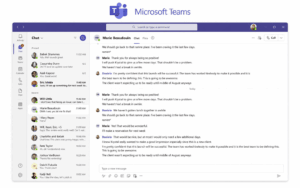
Microsoft Teams is most compelling when the company already works inside Microsoft 365.
Its value does not come only from group chat. The stronger advantage is the relationship between chat, meetings, files, identity, and Microsoft productivity tools.
Teams supports:
-
channels;
-
private chats;
-
group conversations;
-
threaded discussions;
-
meetings;
-
guest access;
-
file collaboration through SharePoint and OneDrive;
-
enterprise identity and administration.
For Microsoft-centered organizations, this reduces friction because employees can move between messages, documents, calendars, and meetings without introducing a separate collaboration stack.
Where Teams Fits Best
Choose Teams when Microsoft 365 is already the operating environment for the business.
Where It May Be a Weaker Fit
If the organization wants a fully self-managed corporate chat server or does not use the Microsoft ecosystem extensively, much of the platform’s advantage disappears.
That is an important decision edge: Teams is strongest because of the ecosystem around it, not because chat itself is uniquely different.
4. Slack — Best for Channel-Based SaaS Collaboration
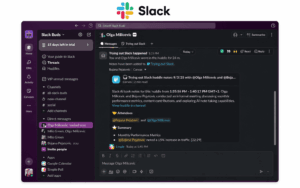
Slack is built around channels, threads, direct messages, search, integrations, and workflow automation.
Its biggest strength is not simply chat UX.
It works well when the business wants group chat to become a central place where other SaaS tools send notifications, trigger workflows, and support daily coordination.
Typical scenarios include:
-
project channels;
-
product team discussions;
-
developer notifications;
-
support workflows;
-
automation;
-
external shared channels;
-
quick voice or video communication through Huddles.
Where Slack Fits Best
Slack makes sense when:
-
the organization is cloud-first;
-
employees use many SaaS applications;
-
integrations and automation are important;
-
fast onboarding matters more than infrastructure control.
Where It May Be a Weaker Fit
Slack is a poor fit when self-hosting is mandatory or when the organization needs to operate the communication platform entirely inside its own network.
5. Rocket.Chat — Best for Customizable Self-Hosted Messaging
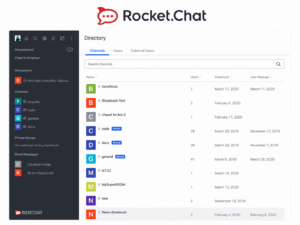
Rocket.Chat sits in a different part of the market.
Its main attraction is the ability to run and adapt a messaging platform with more infrastructure control and customization than a conventional cloud chat service.
Typical capabilities include:
-
public and private channels;
-
direct messages;
-
group conversations;
-
APIs and webhooks;
-
self-managed deployment;
-
identity integrations;
-
omnichannel capabilities;
-
customization.
Where Rocket.Chat Fits Best
Rocket.Chat is relevant when:
-
self-hosting matters;
-
the organization wants an open and customizable messaging stack;
-
technical teams are comfortable managing infrastructure;
-
APIs and integrations need to be adapted to internal systems.
Where It May Be a Weaker Fit
It is less attractive when the business wants a polished all-in-one communication platform with minimal administration.
Which Business Group Chat Fits Your Company?
Instead of comparing dozens of isolated features, it is more useful to match the platform to the communication model.
This is where the platforms become less interchangeable.
They may all support group chat, but they are optimized around different operating models.
What Makes Group Chat Work for a Business?
The basic ability to send messages is rarely the deciding factor.
What matters is whether chat remains useful after dozens of projects, departments, integrations, and user groups appear.
Conversations Need Structure
A business group chat should make it obvious where a discussion belongs.
That usually means some combination of:
-
channels;
-
rooms;
-
groups;
-
threads;
-
direct conversations.
Without structure, the platform becomes a stream of messages that is difficult to search and harder to manage.
History Needs to Remain Useful
Group chat becomes part of organizational memory.
Employees may need to find:
-
earlier decisions;
-
files;
-
links;
-
project context;
-
technical discussions;
-
previous answers.
A useful search system often matters more after six months than it does during a product demo.
Chat Should Connect to Work
The strongest business chat platforms do not treat communication as an isolated activity.
Chat may need to connect to:
-
documents;
-
project systems;
-
calendars;
-
video meetings;
-
CRM tools;
-
business applications;
-
internal services.
Different products solve this differently.
Slack relies heavily on external integrations. Teams connects deeply to Microsoft 365. TrueConf and Secumeet emphasize communication functions inside the same environment.
Group and Direct Communication Should Coexist
Employees need both broad team spaces and small private conversations.
A useful corporate platform should support movement between:
-
public or department-level spaces;
-
project groups;
-
small working groups;
-
direct messages;
-
external conversations where appropriate.
Chat Should Escalate Gracefully
Some discussions should stay asynchronous.
Others reach a point where a call is faster than another 30 messages.
The transition from chat to voice or video is therefore part of the communication design, not just an extra feature.
What Changes When Group Chat Scales Across a Corporation?
A group chat used by 20 people is not the same problem as a communication system used by 2,000.
At larger scale, administration becomes part of the product experience.
Identity Becomes Critical
Manual account creation does not scale well.
Corporate deployments may require:
-
Active Directory;
-
LDAP;
-
SSO;
-
automated provisioning;
-
centralized user lifecycle management.
Permissions Become More Complex
A company may have:
-
open team spaces;
-
private management groups;
-
project rooms;
-
contractors;
-
external partners;
-
temporary users.
Permissions need to reflect organizational structure without creating constant administrative work.
Channel Sprawl Becomes a Real Problem
More users usually means more rooms, groups, and conversations.
The platform needs to remain navigable when the workspace grows.
This is where naming conventions, search, ownership, archiving, permissions, and moderation start to matter.
Guest Lifecycle Matters
External access is easy to enable and easy to forget.
Corporate systems need a clear process for:
-
inviting guests;
-
restricting their access;
-
reviewing permissions;
-
removing access when the project ends.
Retention and Export Become Operational Requirements
A company may need to retain some conversations while removing others after a defined period.
It may also need to export information during migration, audits, investigations, or internal reviews.
These requirements matter much more at corporate scale than in small-team chat.
Where Each Platform Breaks Down
Every platform in this comparison has a scenario where it becomes a poor fit.
TrueConf is less attractive when the company mainly wants a lightweight cloud messenger surrounded by thousands of external SaaS integrations.
Secumeet can be unnecessary for teams that have no private-infrastructure requirement and only need straightforward online messaging.
Microsoft Teams loses much of its advantage when Microsoft 365 is not central to the organization’s workflow.
Slack is not the right category when self-hosting or internal network operation is mandatory.
Rocket.Chat places more operational responsibility on the organization than a managed SaaS service.
This is more important than declaring one platform the overall winner.
A product should be judged partly by the requirements it does not fit.
Migration Is Part of the Product Decision
One of the easiest costs to underestimate is leaving the platform later.
Before choosing a company group chat, test what can actually be exported.
Check:
-
message history;
-
attachments;
-
channel structure;
-
threads;
-
users;
-
permissions;
-
metadata;
-
integrations.
A company may be able to export raw messages but still lose the structure that made those messages useful.
For example, a migration is much harder if:
-
threads become flat messages;
-
files lose their conversation context;
-
user IDs no longer map correctly;
-
integrations must be rebuilt manually;
-
guest permissions cannot be reproduced.
This is why the initial subscription price should not be treated as the full cost of a business chat platform.
Security and Data Control
Security is important, but it should not dominate every group chat decision.
Businesses should separate several different questions.
These questions are related but not identical.
A cloud service can provide strong encryption while remaining vendor-operated.
A self-hosted platform gives the organization more infrastructure control, but that also means the organization must manage configuration, updates, backups, access, and monitoring correctly.
The relevant question is not simply:
Is this platform secure?
It is:
Does its security and deployment model match how our organization actually manages communication risk?
Group Chat vs Email vs Meetings
Business group chat is most useful when it complements other communication modes rather than trying to replace all of them.
A good business communication environment allows users to move between these modes without losing context.
How to Choose a Business Group Chat
The shortlist can usually be narrowed with five questions.
1. How Will Teams Organize Conversations?
If the company has many departments and projects, channel structure and search matter immediately.
2. What Does Chat Need to Connect To?
Decide whether communication should connect primarily to:
-
Microsoft 365;
-
SaaS tools;
-
enterprise video;
-
internal business systems;
-
a private collaboration environment.
This question often separates the five products faster than a feature checklist.
3. How Much Administration Is Required?
A small business may need only user invitations.
A corporation may need directory synchronization, guest governance, retention, roles, and audit capabilities.
4. Where Can Messages and Files Live?
This determines whether cloud-only platforms remain candidates or whether private/self-hosted products should be prioritized.
5. Who Should Operate the Infrastructure?
A managed cloud product reduces IT work.
A self-hosted platform gives the organization more control but also more operational responsibility.
The right answer depends on the company’s resources and policies.
FAQ
What is a company group chat?
A company group chat is a persistent messaging environment where employees or teams communicate in shared conversations. Business platforms typically add channels or rooms, searchable history, file sharing, user management, permissions, integrations, and administrative controls.
What is the best group chat for business?
There is no single best platform for every company. TrueConf fits organizations combining chat with enterprise video, Secumeet focuses on private business communication, Microsoft Teams works naturally with Microsoft 365, Slack emphasizes SaaS integrations and channel-based workflows, and Rocket.Chat is relevant for customizable self-hosted messaging.
What features should a business group chat have?
At minimum, look for structured group conversations, direct messaging, search, message history, file sharing, notifications, desktop and mobile access, and appropriate user controls. Larger organizations may also need directory integration, guest management, retention, audit, and deployment controls.
What is the difference between group chat and team chat?
Group chat can simply mean one conversation with several participants. Team chat usually describes a broader work environment with persistent channels, threads, search, files, integrations, and administrative controls.
Can a corporate group chat be self-hosted?
Yes. Some corporate chat platforms can run on infrastructure controlled by the organization. Self-hosting can provide more control over deployment and data location, but it also requires the organization to manage the necessary infrastructure.
Conclusion
The five platforms in this comparison all support business messaging, but they are not interchangeable.
TrueConf is strongest when chat needs to connect with enterprise video infrastructure. Secumeet focuses on private communication across messaging and meetings. Microsoft Teams gains value from Microsoft 365. Slack is built around cloud workflows and integrations. Rocket.Chat gives technical teams more control over a customizable messaging environment.
The most useful selection question is therefore not:
Which group chat has the most features?
It is:
Which communication model best matches how this company actually works?
Author
Helga Afon is a technology writer specializing in video conferencing, collaboration software, and workplace communication. She writes articles and reviews that help readers better understand enterprise communication tools and industry trends.